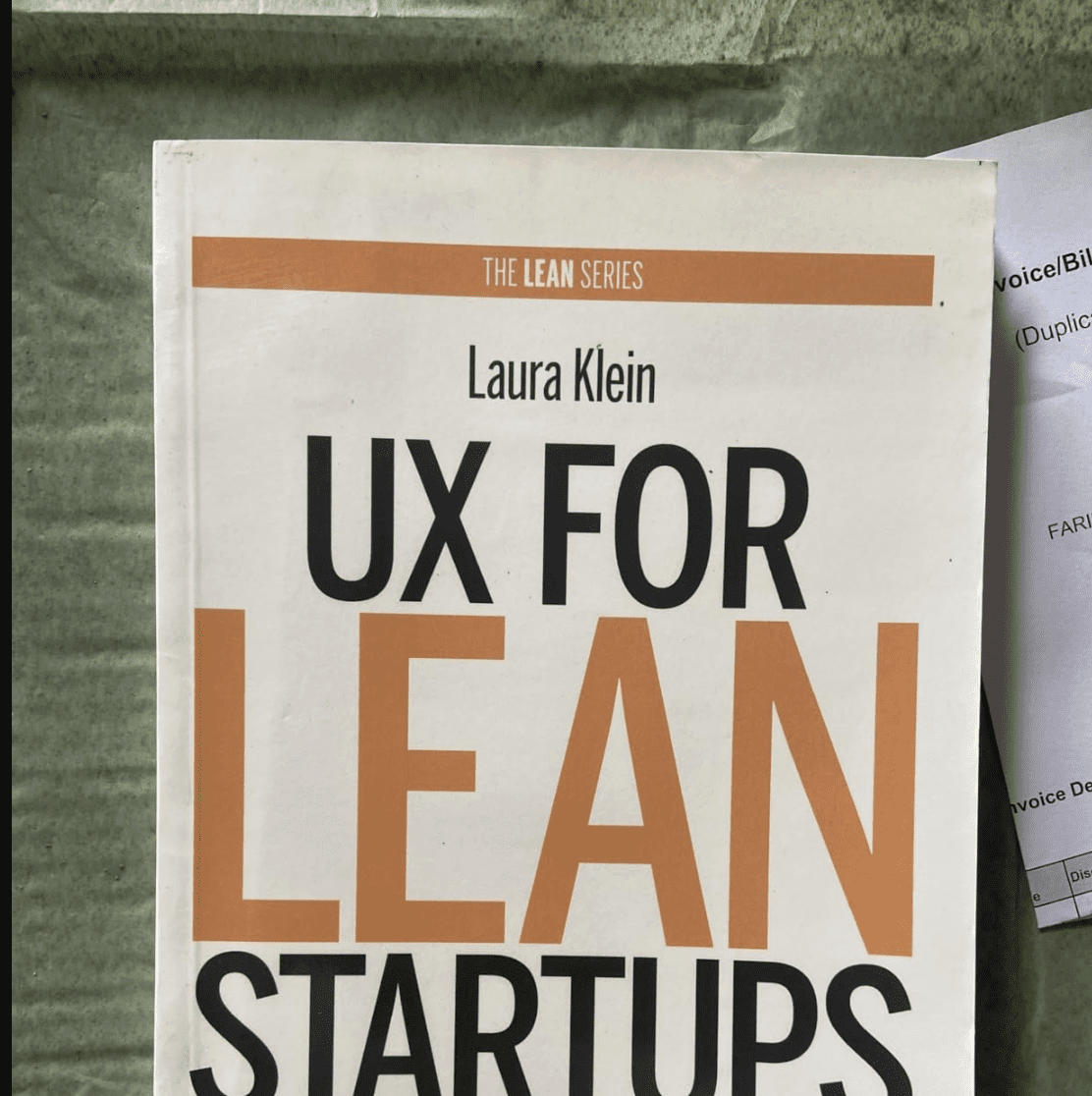

UX for Lean Startups: Complete Summary of Laura Klein’s System for Faster, Smarter Product Design
Building a successful company requires more than just a great idea; it requires a rigorous process for validating that idea before wasting time and money on features nobody wants. UX for Lean Startups provides a practical blueprint for entrepreneurs and designers to integrate user experience research into the fast-paced Lean Startup methodology. Instead of traditional, slow-moving design cycles, this book teaches a “fast and cheap” approach to learning what customers truly value.
The core philosophy of this guide is that user experience design is about solving problems, not just making things pretty. By treating every product feature as a hypothesis to be tested, teams can avoid the “build-measure-learn” trap of building the wrong thing. Whether you are a solo founder or part of a large innovation team, these methods provide the tools to bridge the gap between business goals and user needs through rapid iteration.
This summary covers every major framework and methodological tool presented in the book, from early ethnographic research to advanced A/B testing strategies. It breaks down the complex intersection of Agile development, User-Centered Design, and data-driven decision-making. By following this comprehensive breakdown, readers will learn how to conduct research with small cohorts, design interactive prototypes that minimize engineering waste, and measure design success through actionable metrics.
The following sections provide a complete chapter-by-chapter analysis of Klein’s approach, ensuring no valuable insight or practical application is left behind. This is the definitive guide to creating products that people will actually buy, use, and love.
Chapter 1: Early Validation – Finding the Problem Before the Product
Startups often fail because they build solutions for problems that do not exist or are not painful enough for users to pay to solve. Success begins with reducing uncertainty by validating the market, the problem, and the product concept as early as possible.
Validating the Market, Problem, and Product
Define the market as the specific group of people you believe will buy your product. Avoid broad categories like “women” and instead focus on specific niches like “urban moms who work full-time.” Identifying a problem is the core reason these people will use your product; if there is no pain, there is no purchase. The product is simply your specific method for solving that validated problem.
The Power of Ethnographic Studies
Observe potential users in their natural environment to understand their current workflows and pain points. Listen more than you talk during these sessions to avoid biasing the participants with your own ideas. Watching a user struggle through a task provides insights that they often cannot articulate in a traditional interview or survey.
Running Landing-Page Tests
Create a simple one-page website that offers a fictional version of your product with a “Buy” or “Pre-order” button. Use targeted advertising to drive traffic to this page and measure the conversion rate of people willing to click the call-to-action. This provides concrete data on market interest before a single line of production code is written.
Implementing Pain-Driven Design
Focus your design efforts exclusively on eliminating specific user pain points. Ask users “Where does it hurt?” rather than asking them what features they want. A disruptive product still solves a problem, and understanding the existing workarounds users employ helps define the most valuable features for a new solution.
Chapter 2: The Right Sort of Research at the Right Time
Research is not a one-size-fits-all activity; different phases of product development require different tools. Selecting the correct method saves time and ensures the team gathers actionable feedback rather than irrelevant data.
Testing the Competition
Find people who currently use a competitor’s product and watch them perform tasks. Identify what they hate, what confuses them, and what is missing from the existing solution. This allows you to exploit competitor weaknesses and avoid making the same usability mistakes in your own design.
Conducting Five-Second Tests
Show a static mockup of your landing page to a stranger for exactly five seconds, then hide it. Ask them what the product does and who it is for based on that brief interaction. If they cannot identify the core value proposition immediately, your messaging and visual hierarchy are failing.
Clickable Prototype Testing
Build a low-fidelity interactive model that allows users to navigate through a task. Use this to test complex interactions like checkout flows or registration before engineering begins. It is significantly cheaper to throw away a prototype than it is to rewrite weeks of production-level code.
The Art of Guerilla User Testing
Take your laptop or mobile device to a coffee shop and offer to buy someone a drink in exchange for 10 minutes of their time. Give them a single specific task to perform and observe where they get stuck. Running five people through a guerilla test will reveal 80% of your major usability flaws.
Chapter 3: Faster User Research – Iterating with Small Samples
Traditional research is often slow and expensive, but Lean UX focuses on speed and efficiency. The goal is to gather just enough information to make the next product decision without reaching a point of diminishing returns.
The Rule of Three to Five Users
Conduct research with a maximum of five users per iteration. Patterns in behavior and confusion typically emerge after the first few sessions. Once a major problem is identified, stop testing, fix the issue, and then test again with a new small cohort.
Staying in the Building with Remote Research
Use screen-sharing tools like Skype or GoToMeeting to conduct interviews and usability tests. This eliminates travel time and allows you to recruit participants from a much wider geographic area. Remote research is effective for any digital product that does not require physical environmental context.
When to Use Unmoderated Testing
Leverage platforms like UserTesting.com to get recorded videos of people using your site. This is ideal for finding out if a new user can figure out a simple task without instructions. Avoid using unmoderated tests to find out if people “like” your product, as the feedback is often shallow compared to live interviews.
The Proper Way to Use Surveys
Use surveys only to validate hypotheses generated by qualitative research. Do not use surveys to find new ideas or understand the “why” behind a behavior. Keep surveys short and focused on factual questions rather than asking users to predict their future purchasing habits.
Chapter 4: Qualitative vs. Quantitative Research
Choosing between qualitative (watching people) and quantitative (looking at numbers) research depends on the question you are trying to answer. Quantitative data tells you what is happening, while qualitative data tells you why it is happening.
Testing One-Variable Changes Quantitatively
Use A/B testing for simple changes like button placement, link text, or colors. If you are only changing one variable, the data will clearly show which version performs better. There is rarely a need to conduct expensive qualitative interviews for minor optimizations.
Testing Multivariable Flows Qualitatively
Use qualitative usability tests when reorganizing a complex process or adding a major feature. Because these changes involve many variables, an A/B test might show a failure without explaining which part of the flow was confusing. Qualitative testing helps refine the implementation before the final A/B test.
Deciding What to Build Next
Combine both research types to prioritize your roadmap. Use analytics to find where users are dropping out of your funnel (quantitative). Then, conduct interviews with those users to understand the friction points they encountered (qualitative).
Predicting Purchase Behavior
Avoid asking users “Would you buy this?” in a qualitative study, as humans are poor at predicting their own future actions. Instead, measure intent to buy by adding a “fake” feature button or a pre-order link and tracking the click-through rate. Concrete actions are the only reliable indicators of future spending.
Chapter 5: Designing for Validation – A Nine-Tool Framework
Design is a series of tools used to solve problems and test assumptions. You do not need every tool for every project, but you must understand the problem before selecting a solution.
Understanding the Problem and Designing the Test
Rephrase every feature request as a user problem to be solved. Before creating any visuals, define the success metric for the test. Decide exactly how you will measure if the design worked, such as an increase in registration or a decrease in support tickets.
Writing Design Stories and Brainstorming
Break the problem down into manageable design stories that describe the user’s journey. Spend no more than 15 minutes brainstorming solutions with a cross-functional team. Involving engineers and product owners early ensures the ideas are technically feasible and aligned with business goals.
Sketching and Validating the Approach
Create multiple rough, disposable sketches of potential interfaces using tools like Balsamiq. Pick the most promising approach and try to invalidate it as cheaply as possible. If a simple “Coming Soon” button gets no clicks, do not waste time designing the full feature.
Creating and Testing Interactive Prototypes
Develop a prototype that is interactive enough for users to make mistakes. Focus on the hierarchy of information and the proximity of calls-to-action. Put the “Buy” button near the price, as proximity drives decision-making. Test the prototype, find the flaws, and iterate until the task is easy to complete.
Chapter 6: Just Enough Design – Stripping Away the Non-Essential
Designers often overcomplicate products by adding “nice-to-have” features that distract from the core value. Lean design requires stripping away everything that isn’t necessary to validate your hypothesis.
Designing the Necessary, Not the Neat
Identify the minimum elements required to solve the problem. If you are testing if people will buy a product, you need a price, a description, and a button. You do not need ratings, reviews, or social sharing until the core transaction is validated.
Using Feature Stubs for Instant Data
Build a Feature Stub, which is a button or link for a feature that doesn’t exist yet. When clicked, it tells the user the feature is “coming soon.” This allows you to measure real user demand without writing any back-end code.
The Wizard of Oz Technique
Perform the work of a complicated feature manually behind the scenes. If you are building a recommendation engine, have a human manually email recommendations to users first. This validates if the service provides value before you invest in expensive automation and algorithms.
Avoiding “Cup Holder” Projects
Focus on “brakes and engines” rather than “cup holders.” Visual polish, complex animations, and super-user rewards are often cup holders that don’t drive core growth. Prioritize features that directly affect acquisition, activation, and revenue.
Chapter 7: Design Hacks – Borrowing and Stealing Smartly
You do not need to reinvent the wheel for every interface. Using existing patterns and frameworks allows the team to focus their creative energy on the unique value of the product.
Leveraging UI Design Patterns
Use established design patterns for common tasks like logging in, commenting, or searching. Users expect certain elements in certain places, such as the login link in the top-right corner. Sites like PatternTap and Mobile Patterns provide libraries of successful implementations to draw from.
Competitive Research and Testing
Watch users interact with competitor products to see what they find intuitive or frustrating. You can learn from their expensive mistakes for free. If every competitor uses a specific layout, your users have likely already been trained on how to use it.
Utilizing Frameworks and Plug-ins
Build your product on top of frameworks like Bootstrap or Foundation. These provide responsive grids and pre-styled components that ensure a professional look with minimal design effort. Use third-party plug-ins for non-core features like comments or payment processing to save engineering time.
Hiring the Right Kind of Help
When hiring a designer, distinguish between interaction design (how it works) and visual design (how it looks). For a checkout flow, hire a usability expert. For a brand refresh, hire an artist. Ask candidates to explain the thought process behind their decisions rather than just looking at a static portfolio.
Chapter 8: Diagrams, Sketches, and Prototypes – Choosing Fidelity
Deliverables are communication tools, not the end goal of design. Match the fidelity of your artifact to the complexity of the problem and the needs of the team.
The Purpose of Flow Diagrams and Site Maps
Use flow diagrams to visualize complex logic and error states. This is especially helpful for engineering estimates, as it reveals hidden complexity in “simple” tasks like password resets. Site maps help organize the information architecture to ensure users never get lost.
Why Sketching is Superior to High-Fidelity Design
Sketching is fast and disposable, allowing you to experiment with many ideas in minutes. Use sketches to group related information together. High-fidelity designs often make people afraid to suggest changes, whereas everyone feels comfortable critiquing a rough sketch.
Wireframes as the Design Specification
A good wireframe should include real copy and all navigation elements. Avoid using “lorem ipsum” text, as the length of the copy determines the layout. Wireframes serve as a functional spec for engineers, showing exactly what elements belong on each screen without the distraction of colors.
The Argument Against Paper Prototyping
Avoid paper prototypes for digital products because people interact with paper differently than screens. Paper lacks the ability to simulate hover states, animations, and natural exploration. An interactive HTML/CSS prototype provides much more accurate data regarding how a user will actually behave in a digital environment.
Chapter 9: The Minimum Viable Product (MVP) – Minimal and Viable
An MVP is the smallest thing you can build that allows you to learn from users. It must be a “whole” product that provides value, not a “crappy” product that is broken or unusable.
The MVP as a Learning Tool
Think of an MVP as a cupcake, not a half-baked cake. It should be small but finished and delicious. A minimal product solves one core problem well, rather than trying to do ten things poorly.
Iterating Based on Indifference
If your MVP fails to get traction, reach out personally to the people who signed up and then stopped using it. Ask them what they were expecting and why the product didn’t meet their needs. Talking to these “failed” users provides the most critical information for your next pivot.
Avoiding the “Crappy Product” Trap
A limited product is minimal but professional; a crappy product is just bad. People will use an ugly product if it solves a major pain, but they will abandon a product that crashes or is fundamentally confusing. Never use “MVP” as an excuse for poor quality.
Chapter 10: Visual Design – Function over Form
Visual design is an integral part of the user experience, but it should be applied after the interactions are validated. Its primary job is to guide the user toward the desired action.
Using Visuals to Drive Action
Apply visual design to emphasize the primary call-to-action. Use color and contrast to make buttons look “clickable.” Visuals also set the tone for the product; a bank should look trustworthy, while a game should look fun.
The Risks of Premature Visual Polish
Avoid spending time on pixel-perfect designs until the interaction is tested and stable. Making things “pretty” too early leads to wasted hours when the feature has to be redesigned based on user feedback. It also distracts test participants from the actual usability of the site.
Establishing Visual Design Standards
Create a style guide with standard colors, fonts, and button styles. This allows engineers to build new screens that look consistent without needing a designer’s input for every pixel. Consistent products feel more professional and reduce the cognitive load on the user.
You Are Not Your User
The best visual design is the one your target market loves, not the one you prefer. A site for teenagers should look different than a site for retirees. Always prioritize the aesthetic expectations of your validated market over your own personal taste.
Chapter 11: Measure It – Data-Driven Design Decision Making
A/B testing is a tool for understanding the impact of your work on the business. It allows you to move beyond opinions and base your decisions on statistically significant facts.
The Benefits and Myths of A/B Testing
A/B testing does not replace design; it validates it. You can test big things, not just button colors. It helps you avoid the “local maximum” where you have optimized a bad idea to its best possible version, but still haven’t found a great idea.
Choosing Actionable Metrics
Focus on metrics that reflect user happiness and business health:
- Retention: Are people coming back?
- Revenue: Are people paying?
- NPS (Net Promoter Score): Would people recommend it?
- Engagement: How often are they using it?
Avoiding Common Data Mistakes
Ensure your results are statistically significant before making decisions. Beware of short-term spikes in data caused by sales or holidays that don’t reflect long-term trends. Remember that correlation does not equal causation; just because two things happened at once doesn’t mean one caused the other.
The Feedback Loop between Qual and Quant
Use quantitative data to find the problem (where users leave) and qualitative research to find the solution (why they leave). This combination creates a powerful cycle for constant product improvement.
Chapter 12: Go Faster – Organizational Efficiency
Lean UX requires a shift in how teams are organized. Cross-functional collaboration and rapid deployment cycles are necessary to maintain the “learn” phase of the loop.
Building Cross-Functional Teams
Create small teams that include designers, engineers, and product owners working together on a single metric. This eliminates the “handoff” where information is lost. When everyone watches the same user tests, there is less arguing over which features are necessary.
Avoiding Engineering Waste
Validate as much as possible with non-code experiments before involving developers. Use manual processes or third-party tools to test the viability of an idea. Engineers should only build things that have a high probability of success based on early research.
Strategies for Risk-Reduced Rollouts
You don’t have to ship to everyone at once. Use these techniques to manage risk:
- The 1% Rollout: Show a new feature to only a small fraction of users.
- The Opt-In: Let power users volunteer to test new features.
- The New User Rollout: Test changes only on people who have no previous experience with your product.
Key Takeaways: What You Need to Remember
- Listen to your users constantly. Your CEO does not have the answers; the people outside the building do.
- Validate every hypothesis. Do not build a feature because it “sounds cool”; build it because you have evidence that it solves a pain point.
- Iterate in small batches. Test with 3-5 users, fix the problems, and test again.
- Prioritize function over visual polish. A usable product that solves a problem is more valuable than a beautiful product that doesn’t.
- Combine qualitative and quantitative data. Use numbers to see what is happening and interviews to see why it is happening.
- Work in cross-functional teams. Designers, engineers, and product owners should share the same goals and research insights to eliminate waste and move faster.






Leave a Reply