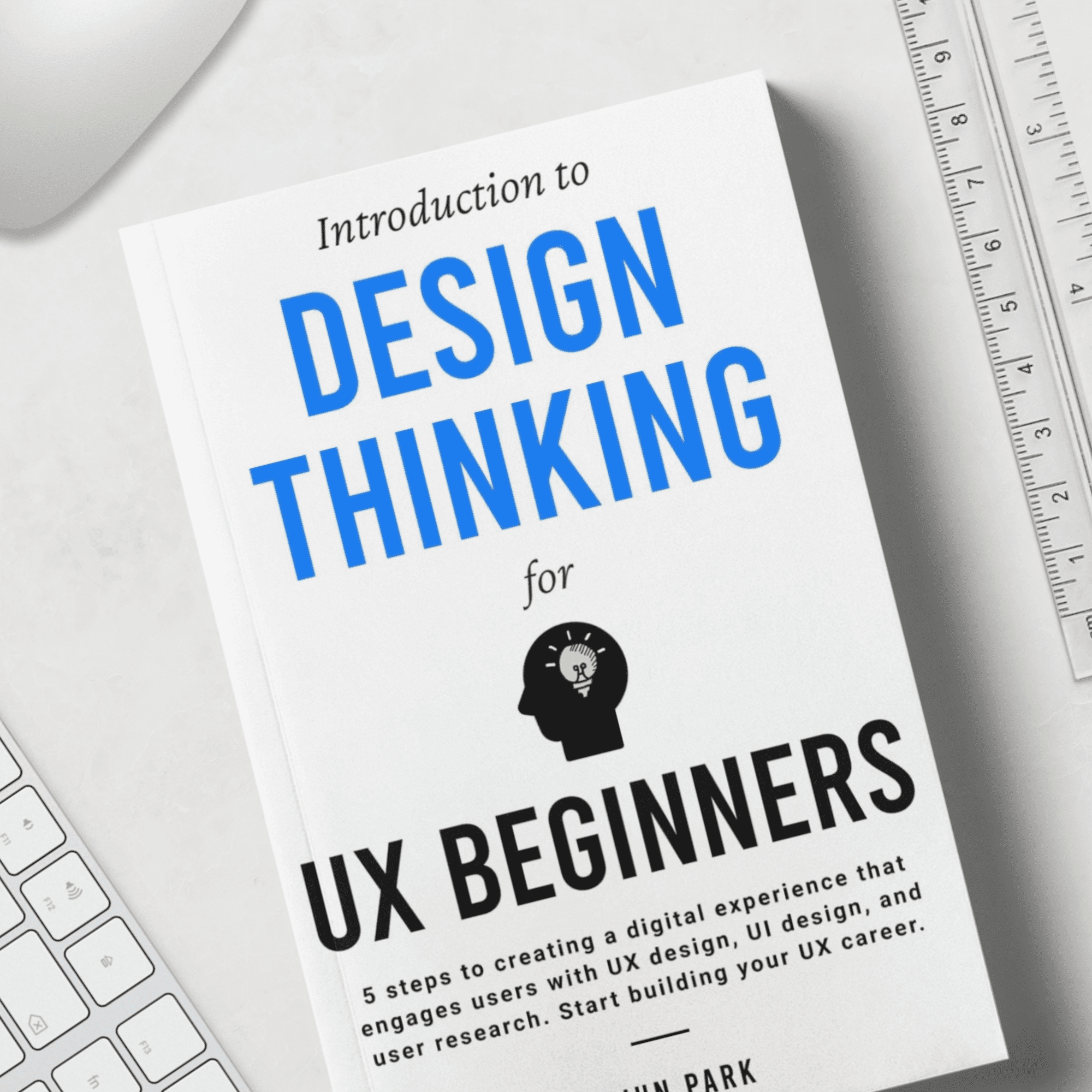

Introduction to Design Thinking for UX Beginners: 5 Steps to Creating a Digital Experience That Engages Users with UX Design, UI Design, and User Research
“Introduction to Design Thinking for UX Beginners” by Uijun Park serves as an indispensable guide for anyone embarking on a journey into the world of User Experience (UX) design. Park, an experienced product designer and mentor at The Knot Worldwide, leverages his unique perspective as a practitioner, interviewer, and former job seeker to demystify UX design. This book is crafted to provide a clear understanding of core UX concepts, practical design processes, and actionable advice for starting a career in the field. It emphasizes the Design Thinking framework—a five-step iterative process—as the foundational approach to discovering, defining, and solving user problems, ultimately guiding beginners to build engaging digital experiences and successful careers. Readers will gain comprehensive insights into user research, UI design, and how these elements converge to create impactful products that truly resonate with users.
Quick Orientation
Uijun Park, a seasoned product designer at The Knot Worldwide, presents “Introduction to Design Thinking for UX Beginners” as an essential resource for aspiring UX professionals. Drawing on his extensive experience in user research, UX, and UI design, as well as his time on both sides of the hiring table, Park provides a refreshingly clear and practical roadmap for understanding and entering the UX field. This book isn’t just a theoretical overview; it delves into the “why” and “how” of creating user-centric digital experiences.
Park’s main purpose is to equip beginners with a solid foundation in Design Thinking, arguing that it’s the most effective framework for solving user problems. He highlights common misconceptions, such as focusing solely on visual aesthetics, and redirects attention to the comprehensive process of understanding users, defining problems, and validating solutions. This book matters today more than ever as the internet continues to dominate our lives, making user experience a critical differentiator for business success. We’ll break down every important idea, example, and insight from Park’s book in clear, accessible language, ensuring nothing significant is left out of this comprehensive summary.
Chapter 1: Introduction
This introductory chapter sets the stage by introducing the author and establishing the core premise of the book: the critical importance of Design Thinking for UX beginners. It addresses common misconceptions about what a UX designer does and emphasizes the holistic skill set required beyond just visual design. The chapter also introduces the concept of a Growth Mindset as a vital component for success in the iterative and often challenging field of UX design.
Who Am I? Why Should UX Beginners Know Design Thinking?
Uijun Park introduces himself as a product designer specializing in user research, UX, and UI design at The Knot Worldwide (TKWW). His background is unique because he has experience as a practitioner, an interviewer (for jobs), and a job seeker. This gives him a comprehensive understanding of what abilities are valued in the UX field and what many job seekers often overlook. Park observes that many aspiring product designers mistakenly believe that the core ability is creating great design visuals or beautiful user interfaces. While visual design is a component, it only represents a small part of the overall capabilities required.
A good UX designer is fundamentally someone who discovers user problems and solves them. This involves a deep understanding of users, the ability to find and frame problems, and then validate solutions. Visual design is merely the result of a solution, not the process of problem discovery or validation. The crucial framework that best describes these comprehensive capabilities is Design Thinking. This methodology provides a straightforward and clear explanation of the problem-solving process through five steps: empathize, define, ideate, prototype, and test. Mastering Design Thinking enables UX beginners to understand the necessary skills to become experts in UX, UI design, and user research, ultimately helping them secure desired jobs. Park aims to detail each step, including practical activities and case studies, to make Design Thinking applicable to digital user experience design.
Who Should Read This Book?
Park clearly outlines the target audience for his book, ensuring that potential readers can quickly identify if it aligns with their needs. He identifies three primary groups who will benefit most from its content.
The first group is someone who just got interested in UX. This book is ideal for those curious about what UX designers do and seeking a basic definition of UX. It explains the design processes UX designers use, and how they collaborate and communicate with other team members like developers and product managers, making it perfect for those new to the field who want to learn about UX and Design Thinking.
The second group comprises a person who has never studied design but is considering a UX design career. This includes individuals currently studying or working in unrelated fields but contemplating a switch to UX/UI design. Park addresses a common concern: “I didn’t major in design, and I am worried whether I could do this job even though I don’t have a good visual sense or ability to visualize an idea.” The book promises to answer this by detailing the necessary skills, abilities, and efforts required. For those who decide to pursue a UX design career, it also provides the necessary steps to achieve their objectives (e.g., getting a job, freelancing), guiding them in creating a career roadmap tailored to the UX industry.
Finally, the third group consists of those who collaborate with UX designers (Product Managers, engineers, etc.). Park explains that understanding Design Thinking can improve collaboration with UX designers and drive product innovation. By reading this book, these professionals will develop the skills to become better partners and collaborators to UX designers, fostering more effective teamwork in tech companies.
Design Thinking and Mindset
Park emphasizes that mindset is directly relevant and beneficial for UX design beginners, particularly the concept of Growth Mindset introduced by Carol Dweck. This mindset posits two types of people: those with a growth mindset and those with a fixed mindset.
What people with a growth mindset think:
- “Challenge and failure are the foundation for growth.”
- “Getting feedback always helps me learn and grow.”
- “I can reach anywhere through learning.”
What people with a fixed mindset think:
- “Failure is proof that I have a limit.”
- “I don’t want to hear feedback.”
- “My ability is fixed and doesn’t change even if I try.”
Individuals with a growth mindset believe their abilities and qualities have limitless potential for growth. They view every situation as an opportunity for self-improvement and use setbacks as stepping stones to success. In contrast, those with a fixed mindset attribute limitations to external factors and do not believe in their ability to grow. The key difference lies in their response to failure: growth-minded individuals see it as a learning opportunity and continue to grow, while fixed-minded individuals may give up.
Adopting a growth mindset is crucial in UX design because the field emphasizes continuous learning and improvement. Designing based on Design Thinking involves constantly seeking to understand users better and provide superior experiences. This iterative process inherently involves a great deal of trial and error, and failure is a natural part of learning. Viewing failure as an opportunity for growth is essential for progress and avoiding burnout. UX design, at its core, involves solving problems from the users’ perspective by establishing and validating hypotheses. Until a design is confirmed to help users, its success is uncertain, making failure an essential part of the design process. Park hopes readers will embrace this mindset, remembering that “you can learn through failure” and “failure is an opportunity for growth,” allowing them to approach their work with curiosity and achieve greater success.
Chapter 2: What is UX Design?
This chapter delves into the fundamental question of what UX design truly entails, placing it within the broader context of the internet age and its impact on business. It clarifies key terms like UX, UI design, and user research, distinguishing their roles while emphasizing their interconnectedness within the overall UX design process.
We Live in the Age of the Internet
Park highlights the transformative impact of the internet on industries and daily life, illustrating its pervasive influence. He begins with the example of Airbnb, which, since its founding in 2008, disrupted the hospitality industry without owning any hotel rooms. By December 2020, Airbnb’s market capitalization on its NASDAQ debut surpassed the combined value of hotel giants Hyatt, Marriott, and Hilton, showcasing the power of the internet to connect people and revolutionize industries.
The widespread adoption of smartphones since the mid-to-late 2000s further accelerated internet usage, allowing access anytime, anywhere. Park then poses a question about five companies whose logos are shown (Apple, Google, Meta, Microsoft, Amazon). These companies share two key characteristics: they were among the top five wealthiest companies in the U.S. by market capitalization in 2021, and they are all technology companies heavily reliant on the internet. Apple’s App Store, Google’s search engine, Meta’s social media platforms, Microsoft’s operating systems and cloud services, and Amazon’s e-commerce and cloud services (AWS) all exemplify how internet-based businesses dominate the global economy.
This stands in stark contrast to the top companies by market capitalization in 2008, which included Exxon Mobil (oil), Walmart (primarily offline retail at the time), General Electric (electronic goods), and P&G (consumer goods), with only Microsoft being a tech company. The comparison vividly demonstrates how the internet has become an integral part of our lives, with its influence growing exponentially. In today’s internet age, UX is one of the primary keys to business success, a point Park promises to explore further.
UX Design for Successful Internet Business
Park argues that in today’s internet-driven world, successful internet companies must excel in three key areas: business, technology, and user experience. While a company needs profitability through sound business strategies and the necessary technology to create a product, these efforts are futile without a strong user base. This is where UX designers come in.
UX designers are the front-line specialists who study users, identify their needs, and make products usable and useful. Their activities span user research (to identify pain points), prototyping, and design (to solve problems). Primarily, they act as advocates for users within the company, often challenging business or technology interests. For instance, if an app plans to overwhelm its screen with ads for revenue, a UX designer would question if this truly benefits the user, as it might drive users away in the long term despite short-term gains.
The shift to cloud-based products has revolutionized product development, allowing instant software access via browsers or apps (e.g., YouTube). This environment enables companies to objectively understand user behavior through data, like visitor traffic, conversion rates, and more. Tools like Analytics and MixPanel allow designers to scientifically measure how design changes (e.g., button size, color) impact business metrics, fostering data-driven experiments. Park contrasts this with the “web design” era of the early 2000s, which was often driven by subjective aesthetics. Now, designers use both quantitative data and qualitative feedback (from user interviews) to gain a nuanced understanding of users and create better products.
Park concludes by emphasizing UX’s critical role in internet-based businesses, citing statistics:
- 94% of a user’s first impressions are design-related.
- 88% of online customers don’t return to unusable/user-friendly websites.
- 60% of users don’t find the information they were looking for at a website.
- Only 47% of websites properly embed a “call to action” button (e.g., “Buy”) for quick notice.
What is UX?
Park starts by asking readers to consider a common object: a TV remote control with many buttons. He points out that most people typically use only a few functions (channel change, volume, power) and find the majority of buttons unfamiliar or rarely used. He then asks about accidentally pressing a button and the common reaction of panicking and self-blame (“I made a mistake”). This leads to a crucial insight: when people struggle with a product, it’s often not their fault, but a design flaw. Understanding this is a core part of grasping UX.
UX stands for User Experience. It encompasses everything a user can experience with a product or service. While commonly associated with digital experiences like mobile apps or websites, UX also includes physical experiences. Examples include holding a car steering wheel, smelling coffee at Starbucks, or finding food in a supermarket. UX extends beyond digital interfaces to include Physical User Interfaces (PUI) involving physical button manipulation and Voice User Experiences (VUX) dealing with sounds and words (like voice recognition). Although the term is often used in digital contexts due to higher hiring rates in that sector, its scope is broader.
What is UX Design?
UX design is fundamentally about designing and creating a user experience with a critical emphasis on planning and designing a product or service from a user’s point of view. This user-centric perspective is a key theme throughout the book, urging designers to prioritize users’ needs over personal intuition or experience. Park notes that this process requires humility, as designers must ultimately create products that are good for users, not just for themselves.
To achieve this, designers must begin by creating a hypothesis and then validating it, as they cannot know if a product will be excellent for users without their feedback. Returning to the TV remote example, Park reiterates that when users struggle, it’s the designer’s responsibility to create an intuitive product. Don Norman, author of “Design of Everyday Things,” is cited for emphasizing that design is at fault for user errors or discomfort. Therefore, designers bear a significant responsibility to design products based on a deep understanding of the user, ensuring error-free usage.
Park then challenges the notion that good UX design is solely about aesthetically beautiful products or artistic uniqueness. While these are virtues, they are insufficient for UX design. He uses examples of beautiful but dysfunctional products (boots with holes, a mouse that cannot be used while charging) to illustrate that a product, regardless of its appearance, must solve users’ problems. Therefore, a good UX design is one that solves a user’s problem. This means getting constant feedback from users and creating or improving products and services from a user perspective. Designers must be prepared to repeat and iterate until the user is satisfied, recognizing that perfect solutions rarely emerge in a single trial. Trials and errors are essential for success, as designers establish and validate hypotheses through countless experiments. Relying solely on intuition or past experiences without user validation will fail to solve real user problems.
What is UI Design, and How is it Different from UX Design?
Park clarifies the distinction between UX design and UI design, terms often used interchangeably or with confusion in the tech industry. He first defines UI (User Interface) design as designing the visual area of the product users interact with. This includes factors like color scheme, text, and screen layout, which significantly influence user experience. Visual elements like icons, buttons, and typography are central to UI design.
He further defines UI design as the process of creating a set of rules that dictate the visual language of a product. This involves decisions on primary and secondary colors, font sizes for titles and body text, and standard button sizes. By defining these rules, designers ensure a consistent and cohesive visual experience, enhancing usability and appeal. Style guides, which document colors and text, are crucial for this consistency, allowing users to experience clarity when navigating between screens (e.g., avoiding inconsistent main button colors).
Regarding the difference between UX design and UI design, Park states that UI design is included in the very large category of UX design, as UX encompasses everything a user experiences. However, he notes that in the industry, UX and UI are often discussed separately for practical purposes. Within this common classification:
- UX design tasks cover user research (1:1 user interviews, quantitative data surveys), user flow, wireframe creation, and user testing (to evaluate usability).
- UI design includes most activities for visualizing high-fidelity prototypes based on the UX design foundation. This involves color and font definitions, icons, layouts, and visual design systems.
Many designers today are referred to as UX/UI designers or product designers, as they are skilled in both disciplines, blurring the strict lines between them.
What is User Research?
Park strongly emphasizes the crucial role of user research in UX and UI design, stating that it can be responsible for more than half of the UX/UI design process and is “the most crucial part.” He explains that the “U” in UX/UI stands for “User,” and without understanding the user, UX/UI design is meaningless. User research is the gateway to this understanding.
He reiterates that UX design is about solving problems from the user’s point of view. To do this effectively, designers must first get feedback from the user to diagnose the right problem. Similarly, once a potential solution is developed, user feedback is essential to validate whether it actually helps solve the problem. Therefore, “User research is all you can do to get user feedback (to solve problems users face).” Park promises to cover specific research activities and their application in the upcoming chapter on Design Thinking.
The Term “UX Design” Used in This Book
To ensure clarity and avoid confusion, Park specifies how the term “UX design” will be used throughout the book. He clarifies that when he refers to “UX design,” it will encompass a broader concept that includes UX, UI, and user research. This comprehensive sense should be understood unless specific terms like “UI design” are mentioned separately. Similarly, the term “UX designer” will refer to the individual responsible for all these integrated tasks. This clarification helps readers maintain a consistent understanding of the scope and focus of the discussions presented.
Chapter 3: Design Thinking in 5 Steps
This chapter forms the core of the book, meticulously breaking down the Design Thinking framework into its five essential steps: Empathize, Define, Ideate, Prototype, and Test. Park illustrates how this iterative process guides UX designers in creating digital experiences that engage users and contribute to business success, emphasizing that design is fundamentally about problem-finding and problem-solving.
UX Design Process Understood Through Design Thinking
Park begins by showcasing popular apps like Spotify and Airbnb, asking readers how their screens came to be. He clarifies that these designs are not created “in one go” using tools like Photoshop or Figma; rather, they are the result of continuous experimentation and an iterative process. The journey from problem to successful product is rarely linear, often involving “various trials and errors.” This highlights the need for a structured approach to design, which leads to the introduction of Design Thinking.
Design Thinking is presented as a widely recognized methodology that explains this design process. It is a user-centered approach aimed at innovation and problem-solving, contrasting with technology-driven or solution-driven approaches. While cutting-edge technology might be key in some industries (e.g., semiconductor manufacturing), in the software industry, where user adoption is paramount, a user-centric approach is vital: “No matter how great the technology is, it’s useless unless it’s what users want.”
Though it contains “design,” Design Thinking is applicable across various fields, not just by designers. Park gives an example of improving a sales team’s business process, where applying Design Thinking involves empathizing with salespeople to discover their problems and find solutions—demonstrating its versatility beyond apps or websites. Design Thinking is embraced by companies from startups to global tech giants like Apple, Microsoft, Pepsi, and Nike, indicating its broad utility in driving innovation across all aspects of customer experience, including offline shopping and product planning. This book, however, focuses on its application to UX design.
5 Steps to Design Thinking
Design Thinking is comprised of five interconnected steps: Empathize, Define, Ideate, Prototype, and Test. Park provides a concise overview of each:
- Empathize: This initial step involves deeply understanding users’ thoughts, behaviors, and emotions (discomfort, joy, difficulties). Designers and team members internalize these insights to discover user problems.
- Define: Based on user feedback, opinions, and data from the Empathize phase, the core problem to focus on is identified, and the target user is clearly defined.
- Ideate: This is the brainstorming phase where various ideas are generated to solve the defined problem for the target user.
- Prototype: Selected ideas are developed into tangible prototypes, ranging from low-fidelity sketches to high-fidelity designs, to simulate the solution.
- Test: The prototype is presented to users to gather feedback, observe its effectiveness, and determine if it solves the user’s problem, identifying areas for improvement.
Park then frames these steps in terms of problem-finding and problem-solving:
- Problem-Finding: Empathize and Define steps.
- Problem-Solving: Ideate, Prototype, and Test steps.
He also introduces the concepts of divergence and convergence within the Design Thinking process:
- Divergence means collecting as much information as possible.
- Convergence means synthesizing and organizing data through selection and concentration.
The Empathize step is primarily divergent, gathering vast user information and uncovering many problems. The Define step, which prioritizes and selects a core problem due to limited resources, is convergent. Similarly, the Ideate phase is divergent, encouraging numerous ideas from various perspectives. The subsequent Prototype and Test phases involve convergence, as ideas are refined, prototypes are selected, and user feedback is used to iteratively improve and narrow down solutions.
Step 1. Empathize
Park identifies the Empathize step as the most critical of the five Design Thinking stages because UX design is fundamentally about solving user problems, and designers must deeply understand users to discover those problems. He uses the analogy of a doctor accurately diagnosing a patient’s illness; without a correct diagnosis, no treatment will be effective. The Empathize step ensures designers properly understand users and their specific challenges.
This step begins with setting a clear goal for the project, which could involve improving existing experiences (e.g., increasing sign-ups or purchase rates) or launching new products from scratch. Goals are typically set collaboratively with stakeholders (considering business, technical capabilities, and users).
Case Study—Shoe-shopping app:
For a shoe-shopping app’s product detail page, a goal might be to increase the product purchase rate by 50% (from 2% to 3%) within a quarter, with an average of 10,000 daily visitors. Once the goal is set, the process shifts to user research to understand users and identify problems. This involves figuring out user needs, characteristics, what they think and do when buying shoes, products they use, and difficulties they face.
Park outlines several user research activities for the Empathize step:
Activity 1. User demographic research:
This involves understanding who uses the products (age group, region, etc.). The principle is that “a product for everyone is good for no one”; therefore, clearly defining the target user is crucial. Tools like Google Analytics can provide statistical data on existing user bases, or survey emails can be sent. Demographic data also helps in defining a persona for the target user.
Activity 2. In-depth interview:
One-on-one interviews are highly effective for learning about users’ thoughts and intentions. For the shoe-shopping app, designers would recruit primary target users and ask about situations for buying shoes, the purchase process, difficulties encountered, and how they currently solve those difficulties. Creating a script is essential for consistency and smooth conversation flow across multiple interviews.
Activity 3. Usability test:
In the Empathize step, usability tests help identify which parts of existing products are difficult to use or unhelpful. By observing users interact with the product detail page, designers can gather insights on the clarity of copy and images, ease of finding information, and specific inconveniences, informing necessary improvements. A test plan and script are recommended for consistent questions.
Activity 4. Analytics:
Software like Google Analytics provides quantitative data on user behavior, such as user traffic and conversion rates on each screen. A low conversion rate on a specific screen signals an opportunity for closer investigation and improvement. For the shoe app, tracking traffic, clicks, and content views on the detail page reveals user interest areas.
One More Tip: Designing a Product That Doesn’t Exist:
When designing a product from scratch (0 to 1), quantitative data from analytics is hard to obtain. User interviews or surveys become essential for defining target users. Park gives an example: designing for busy parents struggling to cook for their kids. In the Empathize step, a designer would interview parents about their meal preparation process, difficulties, and menu idea sources, and also read related articles for insights.
In summary, the Empathize step is mandatory, not optional, in UX design. It serves as a vital opportunity to deeply learn and understand users through various user research techniques.
Step 2. Define
Park emphasizes that the Define step is critically important, even for hiring managers reviewing UX portfolios. He notes that many applicants only show final design results without explaining who they targeted, what problem they wanted to solve, or how they identified the pain point from users. He stresses that finding a good problem is more complex than creating a good-looking design. A beautiful product is meaningless if it doesn’t solve the right problem. Consequently, portfolios lacking problem definition activities suggest the applicant may not value or be capable of these crucial early steps.
In the Define step, designers use the data collected during the Empathize step to define problems and the target user. This involves reviewing all identified pain points and issues. Since time and labor resources are always limited, it’s impossible to solve all problems at once. Therefore, the team must prioritize and decide which issues to focus on. Park recommends involving teammates (developers, product managers, clients) in this prioritization, using criteria like development cost (Resource) and user impact (Impact). Even for personal UX projects, prioritization is key, as only one problem can be prototyped and tested at a time. Unselected problems are saved for future iterations. UX design is iterative; if a prioritized solution doesn’t work, designers can return to the Define step to select the next problem.
Besides the problem, the target user must be clearly defined. If a product already exists and has a defined user base, the focus might be solely on problem definition, but re-visiting the target user is always beneficial. For new products, significant time should be invested in defining the target user based on Empathize data, including age group, income range, and region. Different user groups (e.g., 20s vs. 70s) require different design considerations (font size, color, copy voice).
Case Study—Shoe-shopping app:
Building on the Empathize step, where user feedback on the product detail page was gathered, and the target users were defined as Internet-savvy people in their twenties and thirties living in cities. Feedback included:
- Users prefer competitor app B for shoe shopping, deciding based on product pictures.
- The current app shows only one product picture, which is insufficient.
- Users check customer reviews first, but the app has none.
- The app doesn’t show shipping costs.
Facing multiple problems, the team prioritizes based on resource cost and user impact. They decide to tackle the most impactful issue first: “Users who want to buy shoes can only see one shoe photo on the product detail page.” Other issues are deferred for later. This focused problem statement sets the stage for the next phase.
Step 3. Ideate
The Ideate step is where UX designers, and ideally, their teams, generate various ideas to solve the problems defined in the previous step. Park emphasizes that better ideas typically emerge from deep discussions among multiple people with different perspectives, followed by validation with users and the market, and subsequent refinement. The core principle of ideation is to encourage as many and as diverse a bunch of ideas as possible, as this allows for better solutions through sorting, integrating, and developing.
A key trait for UX/UI designers is to be open to ideas. Involving diverse team members—developers, marketers, product managers—in the idea-generating process is highly effective. A UX designer’s role is to solve user problems, which is rarely achievable alone. Group brainstorming helps overcome individual perspective traps and leverages varied expertise (e.g., developers assess feasibility, marketers consider customer appeal). When ideating, it’s crucial to postpone criticism and prioritize divergent thinking over convergent thinking. Later, a separate process, like voting, is used to select ideas for the next step: prototyping.
Park introduces several group exercises for ideation:
Brainwriting:
Participants write down various ideas on paper or post-it notes within a set time. After writing, they take turns sharing ideas with the group. This method ensures all participants, including introverted ones, have an opportunity to contribute. Afterward, similar ideas can be grouped, and the team can vote on the best ones.
Competitive Case Demo:
This method involves researching and presenting real-world examples of how others have solved similar problems in the market. The purpose is to be inspired, benchmark, or generate additional ideas. Participants research cases before the meeting and then present the pros and cons of each example. Park shares his experience of using Google Slides to analyze photo gallery functionalities, involving developers and marketers who offered diverse perspectives on feasibility and market appeal.
Sketch Workshop (Crazy 8s):
A popular method from Jake Knapp’s Design Sprint, Crazy 8s involves participants sketching eight different ideas (one per minute) on a folded A4 or letter-size paper within eight minutes. The focus is on divergent thinking and generating ideas, not on drawing quality. If eight sketches are too much, four can be done. After sketching, ideas are presented, and the team votes on which direction to pursue for prototyping.
How to Narrow Down Your Ideas:
After generating many ideas, the next crucial step is to prioritize and narrow them down. This involves comparing the effectiveness and impact of each idea and considering the value delivered to users. All ideas are merely hypotheses until validated with real user feedback. Due to limited labor resources, only some ideas can be implemented.
Teams can use voting stickers (3-5 per person) to prioritize, considering:
- Feasibility: Can it be created with available technology and within the timeframe?
- Impact: How much value will this update bring to users? How urgent is it to fix? The aim is to achieve maximum impact with minimum effort.
Even when working alone on a portfolio project, prioritizing ideas is essential. This can be done by listing pros and cons for each and then selecting the most promising one to prototype.
Case Study—Shoe-shopping app:
Building on the problem defined in the previous step (“Users can only see one shoe photo on the product detail page” for Internet-savvy users in their twenties and thirties), the team brainstormed three ideas:
- Add a product video to the detail page.
- Add a VR/AR function to allow users to virtually try on shoes.
- Add a gallery function showing multiple photos from various angles.
The team chose the third idea (gallery function) because it offered significant user impact with less development effort compared to the first idea (which required new video creation). The second idea was deemed too difficult to implement with current technology. This decision sets the stage for the next step, Prototype.
How Original Should Ideas Be?
Park addresses a common concern among UX/UI beginners: the perceived need for mind-blowing, completely original ideas to secure a job. His answer is “not necessarily,” and he provides three key reasons why the originality of an idea is relatively less important than other skills.
One. Storytelling is more important than the idea itself:
Park emphasizes that the process taken before and after an idea is much more important than the idea itself. As a UX designer, you must communicate your idea to stakeholders, justifying it by explaining how the problem was found, the thoughts behind the idea, and the effort made to validate it. An idea, no matter how brilliant, is just one of many until it’s verified through user feedback. UX designers are more like scientists (establishing and verifying hypotheses) than artists. A candidate who can tell a compelling story behind their idea and its validation process is seen as a better candidate than one who merely showcases originality.
Two. There is no 100 percent purely new idea in this world:
Park points out that it’s challenging to come up with truly novel ideas, and hiring managers are aware of this. He uses the example of social media apps often having similar short-form video interfaces (e.g., TikTok vs. YouTube) as evidence that companies learn and benchmark from each other. Competitive research and benchmarking are valuable skills if designers can refine existing ideas to fit their specific products and user problems. Thus, hiring managers are more interested in the stories and design processes surrounding the idea than its absolute originality.
Three. No one can evaluate and give an objective score for an idea:
An idea’s true worth cannot be easily scored until it is verified in the marketplace. Park shares the compelling story of Ryan Hudson, founder of Honey, a browser extension for finding coupons. Hudson’s idea, which started from a personal frustration with finding expired coupons, was later sold to PayPal for over four billion dollars. This illustrates that there’s “no small or big idea until you validate it with people and the market.” Fast execution and validation are therefore far more important than an idea’s freshness.
In summary, hiring managers prioritize how a candidate came up with an idea and what was done to validate it over its pure novelty. A company that doesn’t value process or learning from experimentation might not be the best fit for a user-centered designer. Park concludes by stressing that UX designers must have a willingness to learn, viewing failure as a learning opportunity that leads to better solutions. Since UX/UI design is about establishing and validating hypotheses, success is never guaranteed, making continuous trial and error crucial.
Step 4. Prototype
In the Prototype step, the ideas prioritized during the Ideate phase are transformed into tangible forms to be tested with users or simulated internally. Park explains that a prototype is the “last piece of the puzzle” needed to complete a hypothesis, which comprises a target user, a problem, and a solution. The prototype is the solution, created before or after launching a product, to validate the hypothesis.
Park clarifies that prototypes are not limited to high-quality visual results. Even low levels of visual completeness, such as hand-drawn sketches, qualify as prototypes if they can be shown to users for feedback or used for internal communication. He categorizes prototypes into three levels of visual completeness, also called “Fidelity” or “Fi”:
- Low-Fidelity (Lo-Fi) Prototype: Low visual completeness, quick to create and modify.
- Mid-Fidelity (Mid-Fi) Prototype: Moderate visual completeness.
- High-Fidelity (Hi-Fi) Prototype: High visual completeness and quality, takes more time to create and change.
He details each type:
Lo-fi prototype “sketch”:
Sketches are simple hand-drawn representations of screens, defining elements and interconnections. They require no drawing expertise.
- Advantages: Quick to create, change, and share, making them excellent for on-the-spot communication with team members. They help clarify ideas and allow others to express their thoughts visually.
- Decision-making: Sketches are crucial for making critical decisions before moving to mid-fi or hi-fi, allowing teams to quickly weigh strengths and weaknesses of various solutions. “Using drawings effectively is essential to become a good UX designer.”
Case Study—Shoe-shopping app: A simple sketch to add a gallery function to the product detail page, showing how to access it and view multiple pictures.
Wireframe:
Similar to a house’s framework, a wireframe defines the structure, element placement (text, buttons), and functions of a screen. They use minimal colors and connect screens with arrows (workflow) to illustrate interactions.
- Purpose: The primary purpose is to communicate functionality and operation with team members. They are easier and faster to modify than UI designs.
- Best practice: Park highly recommends using wireframes before moving to UI design. He shares a past experience where skipping wireframes led to unproductive meetings focused on visual details rather than functionality. Using wireframes first allows stakeholders to provide feedback on functionality, leading to higher quality input for later UI design. Excessive color or pixel perfection should be avoided in wireframes to keep discussions focused on core functionality.
Case Study—Shoe-shopping app: A wireframe based on the sketch for the gallery feature, defining specific layouts, buttons, and copies, and confirming functional aspects with stakeholders.
User flow:
A user flow defines the steps a user takes to complete a task on an app or website, including backend processes like error handling. It summarizes screen transitions and subsequent tasks, detailing all possible use cases.
- Purpose: To consider specific user situations and needs, sorting out possible cases and sharing them with the team for clear understanding of interactions.
Case Study—Shoe-shopping app: A user flow was created to clarify when the “see more photos” button should be provided, addressing a developer’s question about shoes with only one picture, considering different scenarios.
Hi-fi prototype “UI design”:
This is a high-quality design output ready for user use. It finalizes details such as color, font size, icon design, and pictures.
- Usage: Can be released to the market or used for pre-release testing.
- Prototyping: Connecting multiple prototyped screens to simulate a working app, allowing users to click buttons and move between screens, generating natural feedback without coding. Modern design tools like Figma allow designers to create these prototypes without developer help.
Case Study—Shoe-shopping app: A hi-fi prototype for the photo gallery feature is built, incorporating the gallery function and defining how to view pictures, ready for testing. - Hypothesis Established: At this stage, the full hypothesis is ready for validation: “Customers (users) of shoe shopping app A can only see one shoe photo on the product detail page. This makes it hard for users to decide whether to purchase (problem). Helping users see more pictures through the gallery function will help users decide, eventually leading to a higher purchase conversion (the solution).”
Design hand-off:
If the design is approved for release, the final design deliverables are shared with developers. This includes color codes, exact font sizes, pixel-perfect values for objects, and precise spacing, enabling immediate development.
Step 5. Test
The Test step in Design Thinking is analogous to an athlete testing new shoes: it’s about measuring the effectiveness of a solution against a hypothesis. Park illustrates this with Kevin, a 100-meter athlete, testing new shoes to run faster. Kevin’s action (wearing shoes, running, measuring speed with a stopwatch) directly parallels a UX designer’s work: visualizing an idea (prototype), executing a test, and measuring its effectiveness. The hypothesis is confirmed (or refuted) through objective data.
In UX design, testing can occur before and after product release. Prototypes (even low-fi or mid-fi) can be used to gather user feedback and validate hypotheses at a low cost, allowing for early problem detection and fixes.
Pre-development test:
Testing with a prototype before engineers begin development can save significant time and money by identifying and fixing problems earlier. Engineering labor is often the most expensive resource in tech companies, so pre-development testing ensures the product effectively helps users.
- Usability test: The primary method for pre-development testing. Users interact with the prototype, and designers observe and gather feedback on ease of use and perceived difficulties. Park shares an anecdote where a usability test prevented his team from building an unneeded feature, saving substantial time and labor costs.
Case Study—Shoe-shopping app: The hi-fi prototype of the gallery function was tested with three users. The test confirmed ease of use and positive responses to seeing multiple angles. This positive validation gave confidence for development and release.
Post-release tests:
After a product or feature is launched, post-release testing evaluates its actual performance. For cloud-based products, release is not an end but a new beginning to gather data and validate hypotheses. Continuous learning about users through post-release data is crucial for business success and identifying new opportunities.
- Analytics: Using tools like Google Analytics to track quantitative data (user traffic, conversion rates) after launch. This provides an objective, scientific approach to evaluating how design updates impact product goals and users.
Case Study—Shoe-shopping app: After launching the gallery function, analytics showed a 10% increase in purchase rate (from 2% to 2.2% or 200 to 220 buyers out of 10,000 visitors). This objective data confirmed the hypothesis: the gallery function helped increase conversion. - A/B Test: A quantitative research method where two versions of a product (e.g., different button sizes, colors, copy) are simultaneously shown to different user segments. Data is collected from both versions to determine which performs better against key goals (e.g., purchase conversion, sign-ups).
Case Study—Shoe-shopping app: An A/B test on button size showed Version B (larger button) had a 15% click rate compared to Version A’s (existing) 10%, a 50% higher click rate. This confirmed the larger button’s effectiveness, leading to its adoption. Park notes that Version B often doesn’t perform better, emphasizing the importance of learning from failures and continuously testing. - Usability test (post-release): Conducted after release to gather qualitative insights that quantitative data cannot provide. While analytics show what users do, usability tests explain why. This helps understand what worked, what didn’t, and why, informing future improvements.
Case Study—Shoe-shopping app: After confirming the gallery’s positive impact via analytics, a post-release usability test revealed why it was helpful (seeing products from various angles). Additional insights for further improvements were also gathered.
UX Design is an Iterative Process
Park concludes the chapter by emphasizing that the five steps of Design Thinking—Empathize, Define, Ideate, Prototype, and Test—are not a linear, one-way process. Instead, UX design is an iterative process. Successfully completing a test does not mean the work is done; rather, it often requires returning to previous steps and reiterating.
The process of establishing a hypothesis, creating a prototype, and testing it can result in either success or failure, with failure often being more common. Crucially, designers must view failure as a learning opportunity for improvement, deciding what to try next and repeating relevant Design Thinking steps. This continuous loop is known as design iteration.
Iterating does not always mean returning all the way back to the Empathize stage. Designers can selectively repeat specific steps. For example:
- Returning to the Define step to redefine the problem if initial assumptions prove incorrect.
- Going back to the Ideate step to explore different ideas if the previous solution failed validation.
- Always being able to return to the Empathize step if more user understanding is needed, regardless of the current stage.
Furthermore, a project may not always start by going through all five steps from the beginning. Depending on the context, a project might start directly at a specific step (e.g., running a user test for an already released product, or moving straight to ideation if users and problems are already well-defined).
A key to success with the design thinking process is “A failure is a learning opportunity.” Park reiterates that Design Thinking is akin to running an experiment, with outcomes that can succeed or fail. The goal is continuous learning and testing until a meaningful outcome is achieved. Real-life success rarely happens “at once.” By embracing failure as a learning opportunity, designers can try new ideas and solutions, ultimately guiding them to success more quickly through continuous trial and error.
Chapter 4: [Bonus] UX Design Principles for Beginners
This bonus chapter focuses on practical solutions that accelerate a beginner’s journey to becoming a skilled UX designer: design principles. It explains why these principles are crucial for creating effective products and developing a designer’s logical reasoning when communicating design decisions.
Why Should UX Beginners Learn Design Principles?
Park stresses that for new UX designers, studying and applying design principles is one of the best ways to quickly become skilled. He highlights two primary reasons for their importance:
First, principles help you create better products for users. These principles are not arbitrary; they have been validated through trials and errors by many people in the UX industry. This makes them reliable tools for beginners, enabling them to reduce trial and error and create value for users faster.
Second, studying principles helps you develop your logic as a designer. UX designers frequently collaborate with team members or clients, requiring them to share the background and thoughts behind their design decisions. Relying solely on subjective statements like “This is good because I like it” is ineffective. Knowing industry-proven principles allows designers to explain their designs based on objective reasoning, effectively communicating “why” decisions were made.
Park acknowledges that countless design principles exist and new ones are constantly emerging, necessitating a consistent learning attitude. He then introduces a selection of his “top 5” personally most helpful principles, serving as a starting point for beginners to understand their utility in real-life scenarios. The overarching message: “People are busy, and we shouldn’t make them think or worry more than they need to.” Instead, design should simplify tasks and be easy to understand, preventing users from leaving a website or app due to confusion (users typically leave within 3 seconds if they can’t find what they need). Successful products leverage design principles and user testing to be intuitive. Therefore, the core principle to remember is “don’t make users think too hard.”
Principle 1. Consistency
Park introduces Consistency as the first essential design principle for creating user-friendly interfaces. He illustrates this with two examples of navigation buttons:
- Example A: Buttons and content positions, along with background colors, change with each page turn.
- Example B: Content position and “previous” and “next” buttons remain in the same location consistently.
He argues that Example B is much more convenient for the user because it maintains consistency, allowing users to expect predictable positions and directions for elements. The principle of consistency in UX design involves creating a predictable user experience across layout, visual design, and interactions. Users should easily recognize patterns and familiar elements throughout the product, reducing confusion and increasing usability. This is achieved by adhering to established design patterns, using consistent language and terminology, and maintaining a cohesive visual style. Following this principle leads to a seamless and intuitive user experience, helping users complete tasks efficiently.
Park provides compelling examples:
- The iPhone’s “back” button is always located in the upper left corner across all apps (Instagram, Peacock, Etsy), preventing confusion and demonstrating excellent design consistency.
- Operating systems like iOS and Android apply consistency broadly.
- Within a single app, Airbnb maintains consistency across its “Home” (accommodation booking) and “Experience” (tours/events) screens. Despite different functions, title text size, main button size, top/bottom spacing, and icon shapes/positions (for “back,” “share,” “like”) are consistent, providing a comfortable user experience within the app’s rules.
Beyond user benefits, consistency significantly helps designers and developers by maximizing production efficiency. Park uses the analogy of Lego blocks, which are designed for consistent assembly, allowing parts to be interchanged and reused. In UX design, this translates to design systems or design patterns, where design teams define standard rules for reusable elements (e.g., button sizes). This means designers don’t have to create new buttons from scratch, saving time for crucial tasks like user interviews or testing. Developers also benefit by creating reusable code based on these consistent rules, avoiding the need to redefine styles for every screen.
In summary, consistency provides users with comfort, familiarity, and predictability, enabling seamless product use. For teams, it significantly maximizes efficiency through reusable systems.
Principle 2. Affordance
Park introduces the design principle of affordance by presenting a challenging scenario: a building entrance with a door where it’s unclear whether to pull or push. The lack of signs and identical handles on both sides create confusion, highlighting a lack of affordance. He states that a key role of designers is to minimize user confusion, but this door design fails to do so.
Affordance refers to designing a product such that its function is intuitive and discoverable just by looking at it. It means making products easy to use without requiring thought or instructions.
- Car door handle: A well-designed example, where the shape naturally guides the user to pull it, even without explicit instructions.
- Apple MacBook charging port: Park praises its magnetic, symmetrical design, which allows easy, correct connection without worrying about orientation or depth, especially in the dark. This is a great example of high affordance.
He then explores how affordance applies to digital user experience:
- Toggle On/Off button: This button, used for power or function activation, incorporates elements that intuitively signal its state. Its horizontal or vertical sliding action mimics physical switches, making it quickly understandable due to its familiarity in daily life. This design has good affordance because it leverages recognizable and familiar elements.
- Radio buttons: These allow users to choose one option from several. Park contrasts a radio button without a default selection (less intuitive) with one that has a pre-selected option (higher affordance). The pre-selected state clearly shows the “selected” and “unselected” states, guiding user behavior. Designers should provide default values to reduce user effort and prevent disadvantages from unintentional selections. An example is the default alarm tone on smartphones, which saves users the effort of choosing a tone every time.
In essence, affordance is about making a product’s intended use immediately clear, minimizing user effort and confusion by leveraging familiar cues and intelligent default settings.
Principle 3. Mental Model and Conceptual Model
Park introduces the principle of mental model and conceptual model, concepts originating from cognitive psychology.
- A mental model refers to the expectations users have for a product, shaped by their experiences, training, and existing knowledge.
- A conceptual model refers to the actual experience or interface that a product provides.
These two models can either align or conflict. Park illustrates this with the transition from traditional paper books to e-book devices. Before e-books, people’s mental model of a book involved physical pages that were turned. When designing an e-book, designers couldn’t perfectly replicate this physical action, so they aimed to provide a familiar environment that allowed users to quickly adapt to the new technology. A well-designed e-book, considering its limitations and feasible aspects, becomes the conceptual model for users. The goal in product design is to strike a balance between users’ expectations (mental model) and the company’s resources/limitations (conceptual model), ideally proposing a conceptual model that surpasses users’ mental models.
He further explains these concepts using the evolution of iPhone app icons:
- Late 2000s (Skeuomorphism): When iPhones were first released, people were less accustomed to smartphones and more familiar with physical buttons on digital cameras, MP3 players, and physical calendars. Thus, early iPhone icons (e.g., Photos app with a real flower, Camera app with a lens shape) were designed with a strong three-dimensional, realistic feel to match users’ mental models of physical objects. This design approach is called skeuomorphism.
- Mid-2010s (Flat Design): As users became more accustomed to smartphones and screen-based experiences, the need for hyper-realistic icons diminished. Users could accept a flatter design more easily, as their mental models evolved. Apple updated its home screen with a flat style design.
Another example is the iPhone’s calculator app, which initially had three-dimensional buttons but transitioned to a flat design where users still understood that the buttons could be “pressed.”
In summary, Apple’s initial conceptual model for the iPhone (skeuomorphism) matched users’ mental models of physical devices. As smartphone usage increased and users became familiar with flat, screen-based experiences, their mental models evolved, allowing Apple to introduce a new, flatter conceptual model that aligned with these updated expectations. This principle highlights the importance of understanding and adapting to the user’s evolving understanding and expectations.
Principle 4. Mapping
Park introduces the principle of mapping by presenting two gas stove designs and asking which is more convenient. One has control knobs in a straight line below the burners, while the other arranges them in a square, mirroring the burner layout.
Mapping is about designing interfaces or displays so that the results of operating a control device are predictable for the user. He uses the example of a car steering wheel: turning it right predictably moves the car right. If it moved left, accident rates would soar due to the unexpected direction. Similarly, on a gas stove, the control knobs should correspond well with the location of the burners so users can easily predict which knob controls which burner. The gas stove with the square knob arrangement is superior in terms of mapping because it provides a clear, intuitive correspondence between the controls and the burners.
Park acknowledges that while mapping is important, designers often face ambiguous situations with no single correct answer, as other principles (like mental models) might also come into play. For instance, if the straight-line stove design is common, users might be more familiar with it, impacting their experience. Designers must constantly think deeper about the best direction by considering various aspects.
Another example of mapping is the car seat controller, which is shaped like a car seat itself. Pressing the neck part of the controller predictably moves the neck part of the seat, and pressing the back part moves the back. This design clearly applies the principle of mapping, making it intuitive to use.
Finally, Park shows mapping applied in digital UX with Google Photos. The right-hand side of the interface displays a scrollbar with a timeline. As users scroll up, recently uploaded photos appear, and scrolling down reveals older photos. This design effectively applies mapping because it makes it easy for users to predict that photos are organized chronologically along the scrollbar. Without this timeline, users would have to click each photo to determine its date, causing inconvenience. Google Photos’ design eliminates this by applying the mapping principle.
Principle 5. Information Architecture (IA) and The Supermarket
Park introduces Information Architecture (IA) as the practice of organizing and structuring digital content to make it easier for users to find what they need. IA involves creating a clear hierarchy of information and grouping related content, drawing a direct analogy to how a grocery store categorizes its products. Without well-designed IA, users can become frustrated and disoriented, while logical organization creates a user-friendly experience that helps people achieve their goals efficiently.
He elaborates on the supermarket analogy: if products were scattered randomly, finding items would be difficult. However, by grouping similar items and labeling sections (e.g., produce, canned goods, frozen foods), the store creates a streamlined experience. In essence, IA is about creating a clear and efficient “roadmap” for users navigating digital content, helping them find what they need quickly.
From an IA perspective, a supermarket’s categories might include top-level categories (canned foods, fresh produce, frozen foods), which then break down into subcategories (fruits, vegetables under fresh produce), and finally individual products (apples, oranges). This hierarchical grouping allows users to easily locate items. Park notes that effective categorization is crucial for IA, but ambiguous situations can arise (e.g., classifying tomatoes as fruit or vegetable). In such cases, UX designers should conduct user testing or research to determine the best classification system.
He then applies IA to a digital example: the Allbirds website (a shoe and clothing brand).
- Upon entering the site, the top left menu immediately presents three top-level categories: Men, Women, and New Arrival. This indicates an initial assumption that users will be broadly divided by gender. New products are separated to draw attention, akin to a supermarket’s special tasting corner.
- Clicking on “Men’s Products” reveals a second-level sub-menu based on product categories (e.g., Shoes, Clothing, Accessories).
- Within “Shoes,” a third-level menu lists specific shoe types like Running Shoes, Everyday Sneakers, and Sandals.
This structured menu not only helps users quickly find desired products but also informs them about the range of information and products available on the website (e.g., Park learned Allbirds also sells clothing). When users click a specific menu, they see a list of actual products.
Park concludes that if Allbirds had mixed products or lacked sub-menus, users would waste time searching or fail to find what they need, negatively impacting the business. Good information architecture is vital for helping users find what they want and solving their problems, ultimately influencing a business’s success or failure, especially given that time is valuable to users.
Principle 6. User Intent
Park introduces the concept of user intent, classifying it as either high or low.
- High user intent: The user knows precisely what they want to do and can follow a specific procedure to complete a task. For example, going to a supermarket specifically to buy Fuji apples, heading straight to the fruit section, and then to checkout. Here, the desired product is clear, and purchasing intention is high.
- Low user intent: The user has a rough idea of their goal but doesn’t know specifically what they need to achieve it. They are in a research stage. For example, going to a supermarket when hungry without a specific meal in mind, browsing sections to learn about available foods before deciding.
UX designers creating apps or websites must consider both high and low user intent and design to satisfy both. Park believes it’s particularly important to focus on low-intent users because they are more prone to getting lost or confused. If these users can easily learn about the website or app, they are more likely to find what they want, contributing to business success.
He uses the example of a new service: if a user accesses a completely unfamiliar service, they won’t know its purpose or what it sells. In such cases, the designer must help users learn easily to achieve their goals.
Park uses Jet.com’s homepage (a former e-commerce shopping mall) as an excellent example of accommodating both high and low user intent:
- Hero Area: The top of the website features a title like “Shop curated brands and city essentials, all in one place,” immediately indicating the types of items sold. This helps low-intent users understand the service’s purpose.
- Top-level Categories: Categories like daily necessities, fashion, beauty, and groceries are displayed with representative pictures, helping low-intent users learn about available products. High-intent users can quickly navigate through these distinctions.
- Sub-categories: Further learning is facilitated by sub-categories (e.g., summer outdoor goods, fashion, beauty during summer), guiding users to anticipate specific product offerings.
- Actual Products for Sale: The site also displays a detailed list of actual products. This is crucial, as some users might perceive the site as merely an information provider (like a blog). Showing product images makes the site’s actionability clear, encouraging purchases.
Park draws a final analogy to supermarkets, noting that they don’t just display categories but also showcase many actual products immediately upon entry. In this sense, supermarkets are excellent examples of places where information design and user intent are very well considered, offering valuable lessons for UX design.
Conclusion. Tips for Studying More UX Design Principles
Park concludes the principles chapter by reflecting on the nature of UX design, emphasizing that unlike math problems, there’s no single, straightforward answer like “1 + 1 = 2.” Instead, UX design involves considering as many factors as possible and making decisions at each moment to deliver value to users. To address the diverse difficulties and problems users face from multiple perspectives, designers need to broaden their thinking. The more UX design principles they know, the more effectively they can perform their work.
He reiterates that the principles introduced in this book are widely known and helpful, but stresses the importance of continuously studying more principles and cases to expand one’s thinking. Even after over a decade in the field, Park constantly feels the need for more knowledge and experience, underscoring the importance of ongoing learning. He encourages readers to use this book’s foundation but to proactively study further.
Park then shares his personal methods for studying UX design principles:
- Research examples:
- This involves actively observing and analyzing apps or websites used daily.
- When an app or website feels uncomfortable, identify why that discomfort exists.
- Then, consider how to solve this discomfort, and if possible, how known UX design principles could be applied to solve it.
- Read UX-related books:
- Park considers reading books the best way to study UX design principles, highlighting his own continuous learning through them.
- Refer to articles/columns and knowledge-sharing websites:
- Consistently reading good UX design principle articles on blogs or websites is helpful.
- He specifically recommends Nielsen Norman Group (nngroup.com), a UX consulting firm founded by industry gurus Donald Norman and Jakob Nielsen. This website offers various UX design principles, not just theory, but also many practical application cases valuable for actual work.
Chapter 5: Establishing a UX Career Roadmap
Having covered the fundamental concepts of UX and the design thinking process, Park now shifts focus to providing actionable recommendations for individuals aspiring to become UX/UI designers or product designers, or to pursue a freelance career. This chapter outlines a clear roadmap to help beginners plan and implement their journey into the field.
What Should I Do to Become a UX/UI Designer Now?
Park acknowledges that readers have taken an important first step by understanding the basics of UX and its design process. Now, he offers concrete recommendations for building a full-fledged career as a designer, whether seeking a job or freelancing.
His roadmap includes five key steps:
- Continuously Study UX/UI design principles
- Learn design tools
- Develop skills for visualizing ideas
- Run your own UX/UI design project
- Create a portfolio and start your career
He elaborates on each step:
Continuously Study UX/UI design principles
Park reiterates that studying UX design principles is crucial because it broadens a designer’s thinking and allows them to consider a wider range of factors when making design decisions. He encourages readers to review and apply the principles shared in the book and to continue learning new ones, integrating them into real-world situations. For further study, he directs readers to the recommended books and materials in Chapter 6.
Learn Design Tools
One of the core competencies of designers is the ability to visualize ideas. This visualization process follows specific steps, each requiring particular design tools.
Hand Sketch:
- Purpose: Quickly draw, modify, and share ideas, whether alone (paper and pen) or with a team (whiteboard).
- Collaboration: For remote work, Miro or FigJam are recommended as online whiteboarding tools for pasting post-its or drawing user flows collaboratively.
Wireframe:
- Purpose: Illustrate how screens work, define element placement (text, buttons), and showcase functions. They are rough drafts, not pixel-perfect, and don’t require fixed colors or font sizes.
- Tools: While PowerPoint or Google Slides can be used, Park highly recommends Figma.
- Figma’s advantages: It’s a dedicated UX/UI design software that allows design and collaboration directly in a web browser. It offers a community feature with open-source templates (wireframes, user flows) created by other designers, boosting efficiency. Figma can be used for wireframes, UI designs, and design systems.
- Alternative for lower learning curve: Whimsical is recommended as a dedicated wireframing tool with pre-built components for quick screen layout definition.
Creating prototypes:
This phase involves activities to increase visual completeness and quality, primarily in the UI design phase:
- UI design: Creating high-quality visual screens (hi-fi prototypes).
- Prototyping: Connecting screens to make buttons/links clickable for user testing or internal review, simulating a working app without coding. Modern tools like Figma allow this without developer help.
- Design system: Creating and managing reusable design elements (colors, text, buttons).
- Dev handoff: Handing over final design files (with pixel-level details) to developers for implementation.
Tools for UI Design and Prototyping:
- Park strongly recommends Figma for UI design and prototyping. According to UX Tools surveys, Figma is the most widely used tool in the industry (as of 2021) for both UI design and prototyping.
- Figma’s benefits: Works on MacOS and Windows, handles the entire design process from wireframe to handoff in one app, offering immense convenience.
Develop Skills for Visualizing Ideas
While hand sketches and wireframes don’t require pixel perfection, visual ability is essential for UI design, which demands industry-standard visual completeness. Park addresses a common concern from beginners: “I was not born with a visual sense… Can I still become a good UX/UI design?” He asserts that while expertise is required, it’s not impossible to reach a certain level quickly through training and practice.
The key is to raise your “eye level” first by researching industry trends and identifying good design.
- Research trends: Visit websites like Dribbble.com or Behance.net to see the latest design trends, analyze UI results, and understand what looks good and what needs improvement. (More details in Chapter 6.)
- Design yourself: Research alone isn’t enough; you must practice producing UI design results yourself using UI tools.
- Continuous improvement: Visual skills are a lifelong journey. Designers should steadily study trends and practice, never becoming complacent.
Run Your Own UX/UI Design Project
To secure a UX/UI designer job, a portfolio is indispensable, and a portfolio requires documenting completed UX/UI design projects. Park encourages beginners to start their own UX/UI design projects once they understand basic concepts, tools, and prototyping. He emphasizes that it’s okay to start even if one feels their visual skills are not yet perfect, as skills evolve through the project process.
He debunks the myth that one needs teammates or an organization to start a UX/UI project, affirming that it can be done solo.
- University/organizational projects: These often involve solving problems set by the organization (e.g., industry-academic cooperation projects) and typically follow the Design Thinking steps.
- Personal projects: If working alone, choose a topic of personal interest. Park gives an example: “How can I constantly drink water, two liters+ a day, as an athlete?” This is a valid UX/UI problem because it has a specific user and a problem. It allows for ideation, prototyping, testing, and hypothesis validation.
- Importance of specific target user: A crucial point for personal projects is to select a very specific target user base. Designing for “everyone” often leads to meaningless results. For the water-drinking app, ideas and prototypes would vary dramatically depending on whether the target is homemakers, the elderly, college students, or office workers. Defining the user, ideally through user interviews, enables better hypothesis validation.
In summary, running at least one UX/UI design project is necessary for a portfolio. Beginners can confidently start personal projects on topics of interest, focusing on a specific user base and following the Design Thinking process.
Create a UX/UI Portfolio and Start Your Career
Park states that once a UX/UI design project has gone through the entire Design Thinking process (from empathy to testing), the designer is ready to create a portfolio. He addresses a common beginner question about portfolio quantity, stressing that quality is far more important than quantity.
- Process over results: Due to the nature of UX/UI and product design, it’s crucial to showcase the design process and the thinking behind it. One project that thoroughly follows the entire Design Thinking process is significantly more valuable than multiple fragmented projects lacking process documentation.
- Avoiding common pitfalls: Many applicants only show hi-fi prototypes without including the Empathize or Test steps. This might be acceptable for a pure UI designer, but for a UX/UI designer (who also does user research), it’s essential to discuss not only the final design but also how the process was followed, and the actual outcome (whether the solution helped or didn’t help users).
Portfolio formats:
- Portfolios can be created in website or PDF format. It’s best to have both ready to be flexible for different company requirements.
- Website creation tools: For easy website creation, Park recommends Squarespace and Wix, which offer various templates that can be customized. He mentions using Squarespace for his own portfolio.
- Notion: Another tool for creating a portfolio website. While it has limited functionalities for interactive or animated pages, it’s sufficient for clearly presenting design processes, thoughts, and learned lessons. Hiring managers value content over flashy effects.
- Behance.net: A platform where designers can create and share their work, making it publicly searchable. This can be a good strategy for recruiters to discover your work.
Park concludes that while a flashy, coded portfolio with animations might seem impressive, interviewers prioritize the content of the project—the design process, the thinking, and the outcomes—over visual effects. A portfolio made on Squarespace or Notion is perfectly adequate. He reiterates that understanding the process and learning from experiments are paramount, and encourages embracing the journey.
Chapter 6: Recommended Materials for Further Study
This chapter provides a curated list of books and websites that Park highly recommends for further study in UX/UI design, especially for those looking to deepen their understanding of design principles and stay abreast of industry trends.
Recommended Books
Park provides a list of highly influential books that have shaped his understanding and approach to UX design.
- “Don’t Make Me Think” by Steve Krug:
- Significance: Despite being over two decades old, it remains a best-seller in UX, consistently loved for its focus on the intrinsic basics and foundation of UX design.
- Core Message: Emphasizes that user experience design should be simple, easy, and intuitive, minimizing user effort or cognitive load. While “simple and easy” sounds like common sense, it’s difficult to achieve amidst internal and external requirements. Designers must prioritize delivering value to users by making the experience easy to use. This book helps understand these basics.
- “Design of Everyday Things” by Don Norman:
- Significance: Written by Donald Norman, “the father of UX design,” this book introduces fundamental design principles. Park personally credits this book with igniting his interest in UX and shifting his perspective from aesthetics being paramount in industrial design to realizing that a product’s beauty is meaningless if it doesn’t solve user problems.
- Core Message: Helps readers deeply understand what user-centered design is and what constitutes a good product and good design.
- “Sketching User Experience” by Bill Buxton:
- Significance: This book highlights the importance of sketching and prototyping for visualizing ideas.
- Core Message: Park learned from this book the critical role of creating prototypes (low or high fidelity) for effective communication with stakeholders and, ultimately, for building great products.
- “Laws of UX: Using Psychology to Design Better Products & Services” by Jon Yablonski:
- Significance: Yablonski identified a need for “reasoning” in UX/UI design and communication, struggling with subjective justifications. He developed design principles backed by objective research.
- Core Message: The book introduces proven design principles rooted in psychology that can be used for UX/UI design practice, providing objective evidence to support design decisions.
Websites for UX/UI Design Prototype Trend Research
Park emphasizes that continuous investigation of trends is essential for boosting visual sense in UX/UI design, particularly during the Ideate and Prototype steps. This involves consistently observing good examples to maintain high standards.
- Behance (behance.net):
- Purpose: A platform where many UX/UI designers share their work. Searching “UX/UI” yields high-quality projects.
- Benefit: Many posts are longer-form, like blog posts, featuring multiple images and accompanying text. This makes it excellent for learning how other designers approach UI, their color choices, layout decisions, and thought processes for case studies and portfolios.
- Dribbble (dribbble.com):
- Purpose: A community for sharing short-form visual design works (e.g., single images).
- Benefit: Its concise format results in intense, trendy, and inspiring UI design works. It’s ideal for observing current UI design experiments and emerging trends.
- Mobbin Design (mobbin.design):
- Purpose: A website that captures and organizes multiple screens of various live apps from iPhone and Android App Stores.
- Benefit: Screens are intuitively organized by app name, industry group (business, medical, social), and specific UI components (tab, button, checkbox). This makes it an invaluable resource for real-world UI reference and understanding component usage in context.
Key Takeaways
“Introduction to Design Thinking for UX Beginners” provides a foundational and practical guide to navigating the UX design landscape. Park effectively demystifies the field by emphasizing the Design Thinking framework as the core methodology, guiding readers through the iterative process of understanding users, defining problems, ideating solutions, prototyping, and testing. The book passionately advocates for a Growth Mindset, viewing failure as a crucial learning opportunity rather than a setback, which is essential for success in the iterative nature of UX.
The core lessons synthesized from the book include:
- UX design is fundamentally about solving user problems, not just creating aesthetically pleasing visuals. The user’s point of view must be central to every design decision.
- Design Thinking provides a structured, iterative framework (Empathize, Define, Ideate, Prototype, Test) for effective problem-finding and problem-solving in UX.
- User research is paramount to understanding users and validating hypotheses, forming the bedrock of successful UX design.
- Ideas do not need to be 100% original; storytelling, process, and validation are far more critical than novelty in the real world.
- Design principles (Consistency, Affordance, Mental Model, Mapping, Information Architecture, User Intent) are practical tools that accelerate learning, improve product quality, and strengthen a designer’s logical reasoning in communication.
- Visual skills are developed through continuous learning and practice, not just innate talent, and must be combined with a deep understanding of user needs.
- Creating a robust portfolio requires demonstrating the entire Design Thinking process through at least one well-documented project, prioritizing quality over quantity.
Next actions:
- Start practicing Design Thinking immediately on a personal project, even if small or simple. Choose a problem you personally experience or are interested in.
- Prioritize learning Figma as the industry-standard tool for wireframing, UI design, and prototyping.
- Actively research design trends on platforms like Behance, Dribbble, and Mobbin Design to sharpen your visual “eye level” and find inspiration.
- Read the recommended books to deepen your theoretical understanding of UX principles and user-centered design.
Reflection prompts:
- How can I apply the “Growth Mindset” to my learning journey in UX design, especially when facing challenges or perceived failures?
- Thinking about an app or website you use daily, can you identify specific instances where the principles of Consistency, Affordance, or Mapping are effectively used or notably absent? How does this impact your user experience?



Leave a Reply