
Table of Contents
- Chapter 1: Setting the Stage
- Critical thinking and a detective-like approach are essential for effective UX research, emphasizing the need to observe user behavior and articulate focused research questions.
- Chapter 2: Planning User Experience Research
- Meticulous planning and clear problem definitions, combined with effective user identification and methodological selection, are key to collecting meaningful UX data.
- Chapter 3: Conducting User Experience Research
- Ethical practice and controlled environments during UX research are crucial for gathering reliable, unbiased data and effectively engaging with users.
- Chapter 4: Analyzing User Experience Research
- Transforming raw data into actionable insights requires critical thinking, evidence-based prioritization, and the quantification of UX improvements to justify design changes.
- Chapter 5: Persuading People to Take Action on the Results of User Experience Research
- Engaging teams early and effectively communicating findings through visual and collaborative methods are vital for ensuring UX research translates into actionable improvements.
- Chapter 6: Building a Career in User Experience
- Continuous professional growth through reflection, developing essential skills, and understanding one’s research philosophy is critical for building a successful career in UX.
Quick Orientation
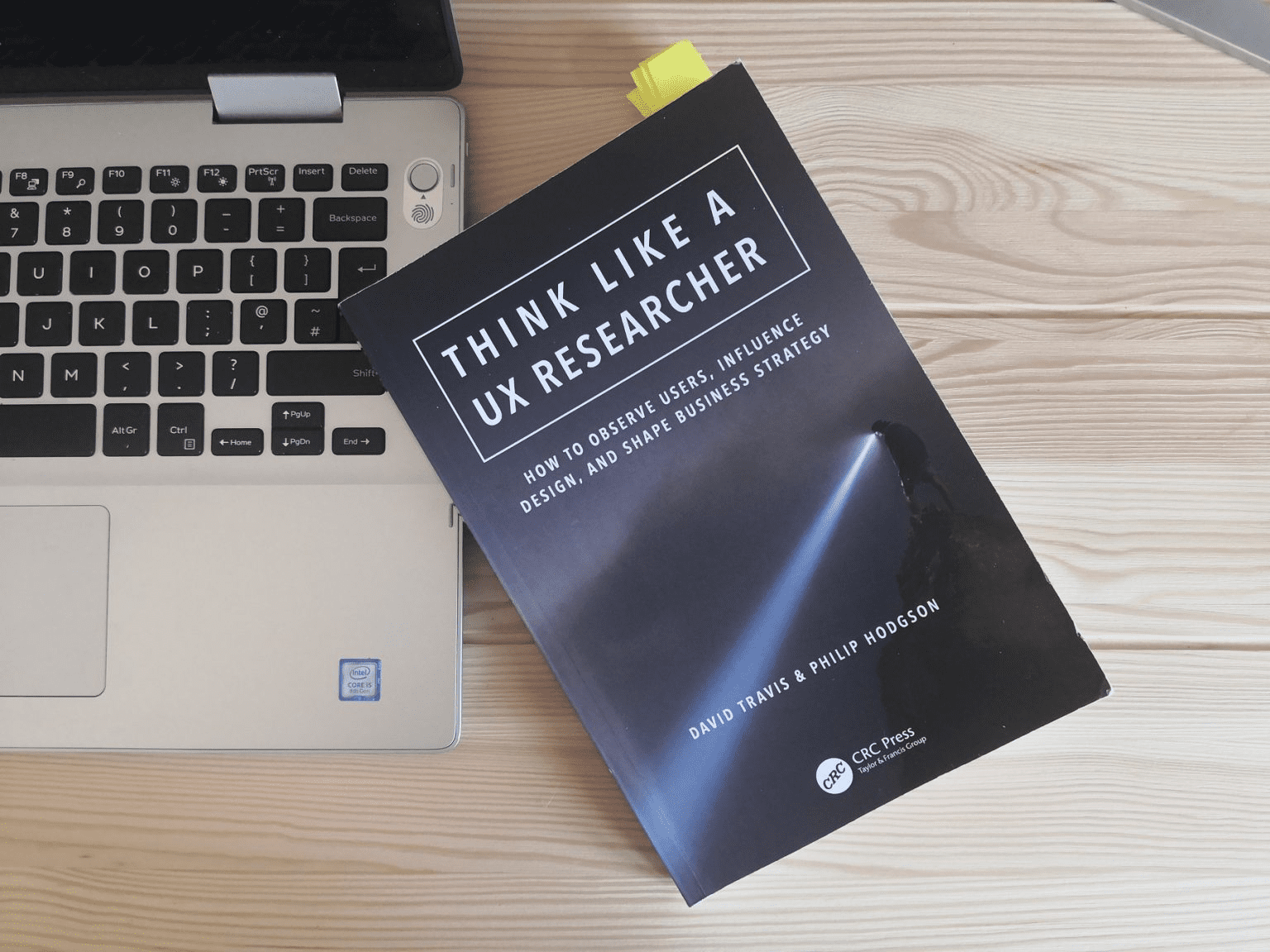
“Think Like a UX Researcher” by David Travis and Philip Hodgson serves as an essential guide for anyone involved in user experience (UX) research, challenging conventional wisdom with practical advice. The book provides top-tier examples on how to observe users, influence design, and shape business strategy. It aims to transform readers into more persuasive and strategic UX researchers by distilling complex ideas into plain language, making every concept immediately applicable for both new and experienced practitioners. This summary breaks down every core idea from the book, ensuring clarity and utility for first-time readers.
Chapter 1: Setting the Stage
This chapter lays the groundwork for effective UX research, addressing common pitfalls and introducing a mindset rooted in critical, evidence-based inquiry to truly understand users.
The Seven Deadly Sins of UX Research
Poor quality, not quantity, is the primary issue plaguing UX research. The authors highlight seven common pitfalls that undermine effective research, preventing actionable insights.
- Credulity: Researchers often believe users’ stated wants without proof; observe what people do, not what they say.
- Dogmatism: Adhering to a single “right” way of doing research is unhelpful; triangulate methods, combining qualitative (for “why”) and quantitative (for “what”) data.
- Bias: Unfair influence on thinking, especially response bias, can corrupt findings; avoid cherry-picking results to fit preconceived notions.
- Obscurantism: Keeping research findings confined to one person prevents team understanding; encourage “exposure hours” where the whole team observes users.
- Laziness: Recycling old research data, like outdated personas, hinders true learning and iteration; fresh data is essential for evolving insights.
- Vagueness: Failing to articulate a single, focused research question dilutes findings; define specific, actionable questions that drive the study.
- Hubris: Taking undue pride in lengthy, detailed reports often means they go unread; create concise “information radiators” like dashboards for quick, actionable insights.
Think Like a Detective
Adopting the methodical investigative approach of a detective enhances UX research, focusing on evidence-based problem-solving and grounding all findings in verifiable facts.
- Understand the problem: Like Holmes, define the core problem and write explicit research questions with clear objectives, avoiding assumptions.
- Collect the facts: Prioritize careful observation of users’ actual behavior and their environment, noting “trifles” that reveal deeper insights.
- Develop hypotheses: Interpret collected facts using a broad understanding of human behavior, technology, and business goals to formulate potential explanations for user actions.
- Eliminate least likely hypotheses: Test hypotheses with experiments, embracing iterative design to refine solutions and discard less probable ideas based on evidence.
- Act on the solution: Present clear, actionable recommendations derived from the investigation, ensuring the development team takes ownership and implements changes.
The Two Questions We Answer with UX Research
All UX research fundamentally addresses one of two questions, which dictates the appropriate research method and ensures the study is purposeful.
- Field research: Answers “Who are our users and what are they trying to do?”; this involves observing users in their natural environment to understand their goals and pain points (safari analogy).
- Usability testing: Answers “Can people use the thing we’ve designed to solve their problem?”; this involves observing users interacting with a prototype or system to identify usability issues (microscope analogy).
- Complementary methods: Both methods are complementary, with field research confirming you’re designing the right thing and usability testing confirming you’ve designed the thing right.
Anatomy of a Research Question
A well-defined research question forms the central core of any UX investigation, guiding methodology and data analysis to ensure purposeful and impactful findings.
- Beyond superficial objectives: Research should aim for specific, important, and interesting questions, not just “get some insights.”
- Effective characteristics: A good research question is interesting, important, focused, specific, leads to a testable hypothesis, allows predictions from measurable data, and advances company knowledge.
- Explorer mindset: Researchers should think like explorers, pushing limits and venturing into new territory to uncover new, intriguing questions rather than recycling old ones.
Applying Psychology to UX Research
Four fundamental principles from psychology are indispensable for UX researchers to understand and predict user behavior accurately, guiding study design and data collection.
- Users do not think like you: Acknowledge that users have different values, perceptions, and technical skills than the development team; this requires constant empathy.
- Users don’t have good insight into their behavior reasons: People often confabulate reasons for their actions; prioritize observing actual behavior over asking for introspection (“what people say”).
- Best predictor of future behavior is past behavior: Focus on “action research” (observing what users do or did) rather than “intention research” (asking what they will do), as past actions are more predictive.
- Users’ behavior depends on context: Kurt Lewin’s formula B=f(P,E) highlights that behavior is a function of both the person and their environment; conduct in-context research or recreate context (e.g., with “skin in the game” tasks).
Why Iterative Design Isn’t Enough to Create Innovative Products
While iterative design is excellent for optimizing usability, it typically leads to incremental improvements rather than groundbreaking innovation, which demands a deeper exploration of user needs.
- Incremental vs. transformative: Iterative design excels at refining existing solutions but doesn’t guarantee a completely different, innovative product.
- Skipping discovery: Many teams rush into “Develop/Deliver” phases with preconceived solutions, bypassing the crucial “Discover/Define” stages where true innovation occurs.
- Double diamond model: This design process model shows two distinct phases: “Discover/Define” (divergent, for innovation) and “Develop/Deliver” (convergent, for optimization).
- Explore edges: To innovate, look beyond typical users to “opposite” or less obvious user groups (e.g., foot fetishists for sandal design) to understand the full domain.
- Jobs-to-be-done: Question what job a product is truly doing for users (e.g., headphones for noise shielding at work) to uncover broader needs and define the research domain’s limits.
Does Your Company Deliver a Superior Customer Experience?
Many companies overestimate their customer experience quality; a maturity model illustrates how evolving feedback practices can bridge this perception gap and improve actual experience.
- Illusory superiority bias: A Bain & Company survey revealed 80% of firms claimed “superior” experience, while only 8% of customers agreed, highlighting a common self-assessment bias.
- Phase 1: Criticism rejected: Companies ignore customers, believing they know what users want, often citing visionary leaders.
- Phase 2: Criticism welcomed: Informal feedback (letters, emails) is accepted, but it’s often biased towards extreme experiences from a small fraction of users.
- Phase 3: Criticism solicited: Companies use surveys and focus groups, but these methods often rely on biased samples and unreliable self-reported behavior (“what people say”).
- Phase 4: Criticism demanded: Mature companies actively seek out and observe user experiences through field visits and usability tests, collecting real behavioral data to bridge the “say-do” gap.
The Future of UX Research Is Automated, and That’s a Problem
UX research is trending towards automation, which offers efficiency but risks diminishing deep user understanding by blocking insights into the “why” behind behavior, leading to a mono-culture.
- Dimensions of UX research: Methods can be classified by data type (“skinny data” for numbers, “fat data” for stories/observations) and moderation (automated vs. moderated).
- Automation trend: New and classic UX methods are increasingly automated due to lower cost, speed, data quantification, and easier recruitment.
- Loss of insight: Automation removes the researcher from live observation, leading to a loss of “teachable moments” – critical, surprising user behaviors that reveal deeper “why” insights.
- User’s perspective: Automated research provides “ends” (outcomes) but not “means” (behavior), making it harder for development teams to overcome their inherent biases and truly empathize.
- Good-quality UX research: Defined by providing actionable and testable insights, it requires triangulation (combining quantitative and qualitative methods) to understand both “what” and “why.”
Chapter 1 emphasizes that effective UX research is about overcoming common biases, adopting a detective’s rigor, and understanding users through their actions and context, not just their words or automated data.
Chapter 2: Planning User Experience Research
This chapter shifts focus to the meticulous planning phase of UX research, detailing how to define problems, identify users, and select appropriate methods to ensure meaningful and actionable findings.
Defining Your UX Research Problem
A clear, well-defined research problem is the bedrock of useful UX findings; inadequate research often fails to advance knowledge due to superficial objectives.
- Einstein’s insight: Albert Einstein famously suggested spending 19 out of 20 days defining a problem, highlighting its critical importance.
- Inadequate research hallmarks: Such research merely gathers data, deals in generalities, avoids analytical questions, summarizes known facts, and is often boring.
- Avoid method-led research: Don’t conduct research just because you have the tools (e.g., “we do eye tracking because we have eye tracking equipment”); the problem should dictate the method.
- Stakeholder needs: Interview various stakeholders (marketing, engineering, support) to understand their perspectives, constraints, and what they need to know from the research.
- Deconstruct the construct: Break down abstract concepts like “usability” or “quality” into measurable sub-components (e.g., effectiveness, efficiency, satisfaction) to clarify the problem.
- Measure something: Determine specific metrics to collect and analyze, ensuring they differentiate concepts, control variables, and convince the development team.
- Shake out issues (pre-pilot): Conduct an early, informal pilot test to identify unforeseen issues, test assumptions, and gather early feedback before the main study.
How to Approach Desk Research
Desk research, also known as secondary research, is a cost-effective and essential first step to gain a broad understanding of the product domain by reviewing existing findings.
- Reasons for desk research: It helps discover if something is truly new, establishes researcher credibility with stakeholders, and prevents asking users redundant questions.
- Context of use: A Venn diagram illustrates the “sweet spot” for UX research where users, goals, and environments overlap; desk research can explore research in these overlapping areas.
- Organizational sources: Start by talking to stakeholders, examining internal call center and web analytics, and speaking with customer-facing personnel.
- External sources: Review existing research from government organizations (census, statistics), relevant charities, academic papers via Google Scholar, and career websites for job context.
- Quality judgment: Don’t dismiss older research if it focuses on human behavior, which changes slowly; evaluate findings for depth, analysis, and relevance.
Conducting an Effective Stakeholder Interview
Effectively structuring stakeholder interviews is crucial for properly diagnosing needs, building rapport, and setting a design project up for success by aligning with real business needs.
- Avoid “no guessing!”: Don’t assume you understand stakeholder needs; openly ask questions to clarify their requirements and motivations.
- Move off the solution: Shift the conversation from proposed solutions to the underlying problems stakeholders hope to solve, asking “what issues will X address?”
- Get out all the issues: Facilitate a brainstorming session for stakeholders to list specific problems or desired outcomes, using sticky notes for prioritization.
- Develop evidence and impact: Probe for evidence supporting their identified problems and discuss the potential financial impact of solving them.
- Remove the solution (tactically): If a problem seems unimportant, suggest doing nothing to prompt stakeholders to convince themselves of its value.
- Explore context and constraints: Discuss past attempts to solve the problem and any obstacles encountered, troubleshooting potential issues.
- Don’t blindside: Give stakeholders advance notice of the interview approach and questions to ensure preparation and productive discussion.
Identifying the User Groups for Your UX Research
When a product targets “everyone,” identifying specific user groups is a practical first step to focus UX research and achieve validated learning effectively.
- “Everyone” is a flawed target: Designing for everyone removes constraints and makes focus impossible, often leading to products with “everything for no one.”
- Niche beginnings: Successful products like Facebook and Amazon started by targeting specific, focused user groups (e.g., Harvard students) before expanding.
- User group exercise (2×2 grid): Brainstorm, categorize, and prioritize user groups based on “Amount we expect to learn” and “Ease of access” (gold, silver, bronze users).
Writing the Perfect Participant Screener
A well-designed participant screener is crucial for recruiting the right people, filtering out unsuitable candidates, and minimizing no-shows for usability studies, ensuring reliable data.
- Behaviors, not demographics: Screen for past behaviors (e.g., digital skills, domain knowledge) as they are more predictive of performance than demographic factors like age or gender.
- Precise questions: Ask specific questions about actions rather than vague terms (“frequently”); use self-identification statements for skill levels.
- Identify unsuitable early: Place exclusion questions first in the screener (e.g., “Do you work for a competitor?”); use open questions to prevent “faking good.”
- Value-for-money participants: For thinking-aloud studies, include an open question to assess articulation; for eye-tracking, screen for visual impairments or makeup.
- Manage expectations: Inform participants that the screener is separate from the main research; clarify incentives, recording, and consent forms upfront.
- Pilot test the screener: Test it with people you know are both suitable and unsuitable to ensure it correctly categorizes them; get internal sign-off.
- Avoid no-shows: Emphasize participant importance, send clear directions, confirm via phone/text, and consider “floaters” or double-recruiting for critical projects.
- Brief recruiting company: Clearly explain screener ambiguities, study importance, and flexible/strict criteria to the actual recruiters.
Arguments Against a Representative Sample
Engaging a demographically representative sample is often impractical for UX research and can stifle innovation, making theoretical sampling a more suitable alternative.
- Sample size impracticality: Achieving demographic representativeness requires impractically large sample sizes for design research.
- Agile incompatibility: Large, upfront sampling doesn’t align with iterative Agile development, where requirements and understanding evolve.
- Innovation stifling: In the discovery phase, the audience is often unknown; focusing on representative users limits opportunities to discover new needs from outliers.
- Reduced problem finding: Small usability tests (e.g., 5 participants) are designed to find common problems; a representative sample can dilute this, making rarer but important problems harder to detect.
- Theoretical sampling: A qualitative approach where participants are selected based on their potential for new insights, with data collection and analysis moving hand-in-hand.
- Bias for problems: Actively bias your sample towards users more likely to experience problems (e.g., those with lower digital skills) to maximize problem discovery.
- Iterative design as defense: Repeated small-sample tests with different participants allow for refinement and error correction, achieving “representative research” over a single “representative sample.”
How to Find More Usability Problems with Fewer Participants
The widely cited “five participants find 85% of problems” is a misinterpretation; understanding this nuance allows researchers to uncover more usability problems without needing a larger sample size.
- The myth clarified: The correct statement is: “Five participants are enough to get 85% of the usability problems that affect one in three users.”
- Rarity of problems: Many important usability problems affect only a small percentage of users (e.g., 10%), requiring more than five participants to detect with high probability.
- Include low-skill users: Recruit participants with lower digital skills or domain knowledge, as they are more likely to encounter subtle problems.
- More tasks: Increase the number of tasks participants attempt, as this significantly impacts the number of problems found.
- Multiple observers: Have several development team members independently observe the test sessions and note problems, as different observers often spot different issues.
Deciding on Your First Research Activity with Users
While field visits are logically the best first step for discovering user needs, a usability test is often the most impactful initial UX research activity in organizations new to user-centered design.
- UX research’s dual nature: It’s both a scientific activity (hypothesizing, testing, revising) and a political one (convincing managers, gaining buy-in).
- Expert reviews (limitations): Attractive to teams because they don’t involve users and are quick/cheap, but findings are easily dismissed as “consultant’s views.”
- Identify business objectives: Forces clarity on the product’s purpose and uncovers conflicting goals.
- Discover key user groups: Requires defining target users for recruitment, challenging “groupthink.”
- Reveal key tasks: Helps identify critical user tasks, shifting focus from features to user goals.
- Flush out stakeholders: Makes implicit stakeholders visible, as they react to user involvement.
- Establish appetite for UX: Acts as a “gateway drug,” demonstrating the value of observing users firsthand and building momentum for future research.
Using the Cognitive Interview to Improve Your Survey Questions
Surveys are frequently misused due to poorly designed questions that corrupt data; the cognitive interview offers a robust method to evaluate and improve survey questions by understanding respondent interpretation.
- Ambiguity is the enemy: Even simple questions can be misinterpreted depending on context, leading to inaccurate data.
- Problems with survey questions: Respondents may struggle to understand the question, recall the answer, estimate accurately, or map their estimate to provided choices.
- Pilot testing: Conduct 1-on-1 interviews with volunteers.
- Think aloud: Ask participants to “think aloud” as they answer survey questions, like a usability test.
- Probe interpretation: After an answer, ask: “In your own words, what is this question asking?”, “How did you arrive at your answer?”, and “How sure are you of your answer?”
- Clarify terms: Follow up with specific questions like “What does [term] mean to you in this question?”
My Place or Yours? How to Decide Where to Run Your Next Usability Test
The choice of usability test location depends on balancing objectives, such as exposing the team to user behavior or measuring performance, across four common scenarios.
- Contextual usability test: High participant willingness and realistic behavior in familiar environment, but can have distractions and recording challenges.
- Remote usability test: Diverse participant sample, quick setup, cost-effective, and flexible scheduling, but limited to software products and potential participant distractions.
- Corporate lab-based test: Full control over environment, easier troubleshooting, dedicated observer rooms (high impact on team empathy), but participants may be less critical.
- Rented facility test: Dedicated support staff, comfortable observation area, reduced participant bias (neutral location), and recruitment services available, but at a higher cost.
Chapter 2 focuses on precision in planning: defining the problem clearly, selecting the right users through effective screeners, understanding where to conduct research, and ensuring methodologies yield high-quality, actionable data.
Chapter 3: Conducting User Experience Research
This chapter delves into the practical execution of UX research, offering guidance on ethical considerations, interview techniques, task design, and moderation to ensure reliable and insightful data collection.
Gaining Informed Consent from Your Research Participants
Gaining informed consent is a fundamental ethical and legal duty in UX research, ensuring participants make an educated decision about participation and fostering empathy.
- Ethical imperative: Prevents psychological distress (e.g., embarrassment, frustration) by ensuring participants understand how their data will be used.
- Legal compliance: Adheres to regulations like GDPR, protecting privacy and controlling personal information.
- Improved data quality: Participants are more relaxed and behave realistically when they trust the researcher and understand the study’s purpose.
- Common problems & solutions: Avoid simply handing over forms; explain key concepts like confidentiality and voluntary participation, and consider whether a signature is always the best approach (verbal consent is sometimes better).
- Separate forms: Treat Non-Disclosure Agreements (NDAs) as distinct from consent forms, and give incentives before the study to ensure voluntary participation.
What Is Design Ethnography?
Design ethnography adapts traditional ethnographic methods to gain design insights by observing what people do in their natural context, rather than just what they say they do.
- Core premise: The best predictor of future behavior is past behavior; observing actual actions reveals underlying user needs that stated opinions often miss.
- Traditional ethnography (culture study): Focuses on deep understanding of culture, small samples, thick data, and long timescales (months/years), with researchers often immersing themselves.
- Design ethnography (design insights): Aims to gain design insights within shorter timescales (days/weeks), with researchers acting as visitors observing and interviewing users.
- Contextual observation: Research takes place in the participants’ real-world environment (home, workplace) to understand “messy reality,” user behaviors, needs, goals, pain points, and workarounds.
- Common mistakes: Doing field research without true observation, prioritizing opinions over behavior, sending inexperienced interviewers, or seeking only confirmatory evidence.
Structuring the Ethnographic Interview
Structuring an ethnographic interview around a “master-apprentice” model helps elicit authentic stories and behaviors in context, providing rich insights into user goals.
- Value of context: In-context interviews yield more truth than out-of-context ones, as it’s harder for users to fake their behavior when demonstrating.
- Focus on why: The goal is to find out why people want things, by understanding their motivations, activities, and problems with current processes.
- Preparation: Research the topic, speak with stakeholders, list assumptions, and recruit participants.
- Building rapport: Introduce roles, explain study purpose, get consent for photographs, and secure permission to audio record.
- Transition to master-apprentice: Explain you want to learn by observing them do their job, granting license to ask “naïve” questions.
- Observe: Spend most time silently watching, asking clarifying questions like “Tell me a story about the last time you…” or “Can you show me how you…”
- Interpret: Verify assumptions and conclusions with the participant, allowing for corrections.
- Documentation: Immediately summarize findings on index cards or voice recorder.
Writing Effective Usability Test Tasks
Usability test tasks are the core of a usability test; designing realistic and motivating tasks is crucial for uncovering problems and ensuring credible results.
- Task importance: The number of tasks participants attempt is more critical for finding problems than the number of participants.
- Motivation is key: Participants must believe tasks are realistic and want to complete them to genuinely engage with the test.
- Scavenger hunt: Clear, ideal answer tasks (e.g., “find specific product”).
- Reverse scavenger hunt: Show the answer, then ask users to find it (e.g., “locate this image”).
- Self-generated: Ask users what they expect to do, then test that scenario.
- “Skin in the game”: Provide real incentives (money, product) for task completion to ensure authentic behavior.
- Troubleshooting: Recreate problems (e.g., error messages) and ask users to solve them, revealing terminology and documentation issues.
The Five Mistakes You’ll Make as a Usability Test Moderator
Moderating a usability test is fraught with common pitfalls that can bias results; awareness and deliberate practice are key to effective moderation and unbiased data.
- Talking too much: Over-explaining at the start or filling silences during the test influences participants; embrace silence and use non-leading prompts like “Tell me more about that.”
- Explaining the design: Defending design choices or correcting users’ “wrong” actions biases results and undermines researcher neutrality; focus on observing how users actually behave.
- Answering questions: Users ask questions when they encounter problems; use the “boomerang” technique (“Where would you look for it?”) to gain insight into their problem-solving process.
- Interviewing rather than testing: Allowing the session to drift into an interview about home practices or a shopping list of stakeholder questions detracts from observing task completion; focus on the user doing tasks.
- Soliciting opinions and preferences: Confusing usability testing with market research by asking users what they like or prefer; the goal is to observe what works best, not subjective preferences.
Avoiding Personal Opinions in Usability Expert Reviews
Usability expert reviews are efficient for problem identification, but they must predict user interaction based on evidence, not personal opinions, to be effective and persuasive.
- Beyond preference: A design review is about predicting user interaction, not stating personal likes or dislikes; what the reviewer likes is irrelevant.
- User’s perspective: Reviewers must adopt the user’s perspective, using a firm understanding of users’ goals and tasks to predict behavior and identify problems.
- Single reviewer flaw: One reviewer typically finds only 60% of issues; using three to five reviewers provides broader domain knowledge and diverse sensitivities.
- Generic principles limitation: Relying solely on generic usability principles (like Nielsen’s heuristics) without tailoring them to specific technologies/domains can miss important issues; develop a customized checklist.
- Lack of experience (“taste”): Distinguishing genuine problems from false alarms requires “taste,” developed through extensive observation of usability tests, field work, and customer support calls.
Toward a Lean UX
Lean UX, inspired by Eric Ries’s Lean Startup, emphasizes iterative build-measure-learn cycles, using lightweight UX techniques to manage risk and test design hypotheses early.
- Lean startup principles: Design is risky, hypotheses need testing, minimal versions are used for quick learning, design iterates through build-measure-learn, and teams pivot or persevere based on results.
- Speed & efficiency: Lean UX techniques are low-cost and quick, supporting rapid iteration and enabling testing of business ideas before significant development.
- Beyond opinions: Focus on user behavior, acknowledging that customers often don’t know what they want.
- Overcoming reluctance: These techniques allow testing ideas early, even when development teams are reluctant to involve users until a product is complete.
- Key techniques: Narrative storyboarding (visual cartoons for problem/solution), Paper prototyping (hand-drawn interactive prototypes for workflow usability), and Wizard of Oz (simulating a system with a human operator).
Controlling Researcher Effects
Subtle yet pervasive “researcher effects” can bias UX research outcomes; awareness of these biases and implementing controls are crucial for objective findings.
- Origin of bias: Researcher effects primarily stem from the researcher’s prior expectations about the study’s hypothesis, unconsciously influencing results.
- “Clever Hans” bias: Researchers can unintentionally provide verbal or non-verbal cues that influence participant behavior (e.g., nodding when desired actions occur).
- Double-blind ideal: The scientific gold standard where neither participant nor experimenter knows the hypothesis/condition, but often impractical for UX research.
- Controlling interaction biases: Standardize research protocols, moderator scripts, and task scenarios; have a second researcher monitor for “protocol drift”; stay out of the participant’s direct line of sight; practice controlling biasing behaviors.
- Controlling recording/interpretation biases: Decide data logging procedures beforehand, record objective data (task completion), agree on pass/fail criteria, use “blind” data loggers, record verbatim, avoid interpretation during the study, and get critical feedback on reports.
- Sponsorship biases: External or internal pressures can bias research towards positive outcomes; transparency and delivering hard truths, even if unpopular, are vital for credibility.
Dealing with Difficult Usability Test Participants
Encounters with “difficult” usability test participants are common; understanding their character types and addressing the situational causes, rather than blaming the person, is key to effective moderation.
- Situation, not personality: Most “difficult” behavior stems from an “awkward testing situation” (e.g., anxiety, difficult software, unrealistic tasks), not inherent personality traits.
- Taxonomy of difficult characters: Includes those who should never have been recruited (fakery, grudges, professional test participants, privacy concerns), don’t think aloud properly, don’t want to criticize, are anxious, or are “lost souls” (disinterested, no-shows).
- Proper recruitment: Use behavior-focused screeners to filter out unsuitable candidates and manage expectations about recordings.
- Manage expectations: Clearly explain the study’s purpose and what to expect during the session.
- Address anxiety: Build rapport, demystify the test environment, start with easy tasks, and offer breaks or turn off recording if needed.
- Elicit thinking aloud: Provide clear instructions and practice sessions for the “think aloud” technique.
- Encourage criticism: Emphasize moderator independence from the design team and flatter participants to invite honest feedback.
- Handle no-shows: Employ “floaters” or double-recruiting for critical sessions.
Uncovering User Goals with the Episodic Interview
When direct contextual observation is not possible, the episodic interview helps users reliably recall concrete events and stories, providing rich data to uncover underlying user goals and needs.
- Contextual data is gold: The most useful UX data comes from observing users in their natural context, as it aids memory and reveals authentic behavior.
- Out-of-context challenge: Without context, participants may struggle to recall relevant stories, provide mundane details, or resort to opinions rather than experiences.
- Episodic interview purpose: Encourages participants to recall specific events, situations, and episodes related to an experience, generating rich, detailed narratives.
- Framework stages: Preparation, Introduction, Interviewee’s Concept & Biography, Meaning in Everyday Life, Focusing Central Parts, General Topics, Evaluation & Small Talk, and Documentation & Analysis.
Chapter 3 underscores the importance of ethical practice, active observation, and controlled environments in conducting UX research. It provides specific techniques for interviews, task design, and moderation to collect unbiased, actionable data.
Chapter 4: Analyzing User Experience Research
This chapter guides the researcher through the crucial process of transforming raw data into actionable insights, emphasizing critical thinking, evidence-based prioritization, and the power of quantifiable metrics.
Sharpening Your Thinking Tools
Most new products fail; critical thinking tools, inspired by Carl Sagan’s “Baloney Detection Kit,” help UX researchers challenge flawed ideas and confirm good ones with verifiable evidence.
- The 90% failure rate: Most new products fail within six months, often due to “blind faith” in their inevitability of success, blinding teams to warning signs.
- Science as a tool: Science provides a self-correcting method for discovering truth, relying on critical thinking and a toolkit for skepticism.
- Confirm the facts: Demand independent confirmation of all claims.
- Encourage debate: Foster substantive discussions based on evidence from knowledgeable proponents.
- Authorities can be wrong: Data beats opinion, regardless of who holds it.
- Develop more than one idea: Brainstorm multiple explanations and systematically try to disprove them, letting data decide.
- Keep an open mind: Don’t get attached to hypotheses; be ready to change direction (“pivot”) if evidence dictates.
- Measure things: Quantify whenever possible to discriminate between competing hypotheses.
UX Research and Strength of Evidence
The concept of “strength of evidence” is vital in UX research; understanding it helps differentiate good from bad data and ensures decisions are based on credible findings.
- Opinions vs. behaviors: User opinions are unreliable and “worthless” as data, while observed behaviors are strong evidence.
- Valid data: Measures what it intends to measure (e.g., task completion rate, not just aesthetic appeal).
- Reliable data: Can be replicated if the research is conducted again with different participants using the same method.
- Data-first approach: Good UX research begins with identifying the type of credible data needed to answer a question, and then the method follows.
- Strong evidence: Comes from task-based studies focusing on observable, objective, unbiased user behaviors (e.g., contextual studies, usability tests, web analytics, A/B tests).
- Moderately strong evidence: Involves tasks or self-reported behaviors but may have higher variability (e.g., heuristic evaluations, expert feedback, interviews about past behavior, eye tracking).
- Weak evidence: Methods that are flawed or lead to guesswork, costing companies millions (e.g., faux-usability tests, unmoderated thinking aloud without tasks, focus groups, surveys about future behavior, intuition).
Agile Personas
Agile personas, particularly the lightweight “2½D sketch,” address criticisms of traditional personas by emphasizing dynamic, data-driven understanding of user groups for design.
- Purpose: Personas prevent designing for an “elastic user” (one who bends to development whims) by summarizing key attributes of user groups based on data.
- Traditional persona criticisms: Often too “final,” glossy, hard to update, and confused with marketing segments, leading to skepticism from Agile teams.
- Raw data challenge: Raw user data is messy and idiosyncratic; personas help synthesize this into a “big picture” of user types.
- 2½D sketch concept: A metaphor from David Marr’s vision model, acknowledging incomplete information and actively constructing a view of the user based on reasonable assumptions.
- Creating a 2½D sketch (workshop): Involves shared understanding, using four quadrants (User, Environment, Goal, Facts, and Behaviors), listing facts and behaviors, and defining needs/goals.
- Benefits: Lightweight, disposable, flexible, ensures design ideas are linked to a specific user, task, and context, fostering numerous design alternatives.
How to Prioritize Usability Problems
Usability tests often yield many problems; a standardized, three-question approach allows for objective classification of severity, enabling efficient prioritization for development teams.
- Challenge of prioritization: The sheer volume of usability problems can overwhelm teams, leading to subjective prioritization (“gut feel”).
- Transparency & consistency: A standard process for defining severity provides transparency and consistency, making it easier to justify decisions to developers.
- Three questions for severity: What is the impact of the problem? How many users are affected? Will users be bothered repeatedly?
- Severity levels (decision tree): Critical (fix urgently), Serious (fix as soon as possible), Medium (fix during next “business as usual” update), Low (cosmetic or minor quality issues).
Creating Insights, Hypotheses and Testable Design Ideas
Transforming raw usability test observations into actionable design solutions involves generating insights, developing hypotheses for root causes, and creating testable design ideas.
- Observations to solutions: Usability tests provide observations (what people do/say), not solutions; the process involves three steps: insights, hypotheses, solutions.
- Generate insights: Whittle down data, use affinity diagramming to group observations, capture learning as provocative “insight statements,” and prioritize with the team.
- Develop hypotheses: Brainstorm multiple potential root causes for each insight.
- Create design solutions: Apply Steve Krug’s “tweaking” approach: make the smallest, simplest changes that are likely to fix the underlying problem and are easily testable.
How to Manage Design Projects with User Experience Metrics
UX metrics are essential for assessing design performance, monitoring progress, and communicating value; remote usability testing tools make collecting these metrics efficient and cost-effective.
- The measurement gap: Many project managers ignore UX if it’s not measurable, despite usability improvements having massive financial benefits.
- Why UX metrics matter: They guide design decisions (preventing feature creep), objectively measure progress in Agile sprints, and provide a framework for communicating with senior management.
- Creating solid UX metrics: Identify critical tasks, create a user story, define success and measure, assign values, and monitor throughout development.
- Metrics-based vs. lab-based: Remote metrics-based tests capture “what” (e.g., task success rate) effectively with large samples, while lab-based tests provide the “why” by observing nuances.
Two Measures That Will Justify Any Design Change
Success rate and time on task are two critical usability measures that can be directly translated into financial benefits, providing a powerful argument for design changes.
- Beyond “obviousness”: Don’t assume UX benefits are self-evident; managers require tangible, quantifiable evidence to approve changes.
- Translating to money: UX improvements directly impact the bottom line by increasing success (revenue) or reducing time (cost).
- Success rate calculation: For a website, a 5% improvement in success rate can translate to millions in increased sales, calculated by comparing actual sales to potential sales.
- Time on task calculation: For internal systems, even small time savings (e.g., 15 seconds per task) can result in significant annual cost savings when scaled across many employees and frequent task repetitions.
- Conservative estimates: Always err on the conservative side when making these calculations to enhance persuasiveness and credibility.
Your Web Survey Is a Lot Less Reliable Than You Think
Despite their large sample sizes, web surveys are often unreliable due to coverage and non-response errors, necessitating triangulation with other data sources for robust findings.
- “Love of large numbers”: Many stakeholders mistakenly believe large survey samples automatically mean robust, reliable data, but quality is more important than quantity.
- Asking the wrong questions: Surveys can be flawed if questions are misunderstood, unanswerable, or don’t align with the survey’s true purpose.
- Sampling error: Occurs when a chosen sample doesn’t accurately represent the total population; reduced by increasing sample size but only if the sample is truly random.
- Coverage error: Happens when the research method systematically excludes certain parts of the target population (e.g., web surveys exclude non-internet users).
- Non-response error: Occurs when non-respondents (e.g., advanced users who block pop-ups) differ from respondents in ways that bias the data.
- Controlling bias: Create proper random samples, ensure equal likelihood of participation, and encourage participation through transparency, incentives, concise questions, persuasion techniques, and follow-ups.
- Triangulation: Since web surveys are inherently prone to error, their findings should be triangulated with other UX research data (field visits, usability tests) to provide a more comprehensive understanding of “what” and “why.”
Chapter 4 highlights that effective analysis moves beyond raw data to actionable insights. It stresses critical thinking, the importance of evidence-based prioritization, and the power of quantifying UX improvements to justify design changes and communicate value.
Chapter 5: Persuading People to Take Action on the Results of User Experience Research
This chapter focuses on the vital skill of persuading stakeholders to act on UX research findings, emphasizing active team engagement, effective communication, and integrating research into design processes.
Evangelizing UX Research
UX professionals often struggle to get development teams to act on findings because reports are wordy and fail to engage. Effective evangelism involves early team engagement and visual “information radiators.”
- The problem: In an Agile, just-in-time world, long research reports are often unread, leading development teams to miss crucial user insights.
- UX is a team sport: The most effective approach is to get the development team directly involved in planning, observing, and analyzing UX research sessions to build shared understanding.
- Jared Spool’s exposure: Effective teams aim for 2 hours of user exposure every six weeks, making formal reporting less critical.
- User journey map: Visually outlines the entire user experience from observations, highlighting pain points and opportunities.
- Photo-ethnographies: Mood boards with photographs of users in their environments to share context and challenge assumptions.
- Affinity diagramming: Collaborative process where the team groups usability issues (on sticky notes) to identify key problems.
- Screenshot forensics: Visual reports using screenshots with categorized sticky notes for user quotes, findings, questions, and actions.
- Hallway evangelism: Summarize key research findings on large, infographic-style posters in high-traffic areas for continuous exposure.
How to Create a User Journey Map
A user journey map provides a holistic overview of the entire user experience, identifying user goals, happy moments, and pain points to spark truly innovative design solutions.
- Usability vs. UX: A journey map clarifies the difference by showing that UX encompasses the user’s entire goal-driven process, far beyond just a product’s functions.
- Goals over functions: It helps teams think in terms of broader user goals, rather than focusing narrowly on discrete product features.
- Identifying opportunities: The map visually highlights both positive and problematic parts of the user’s experience, revealing areas for improvement and innovation.
- Creation process: Write steps, group actions, label groups, arrange chronologically, identify happy/pain points, capture user questions, and spot design opportunities.
Generating Solutions to Usability Problems
While UX professionals are adept at finding problems, the SCAMPER creativity technique provides a structured framework to effortlessly generate numerous creative design solutions.
- Beyond problem finding: Good practitioners not only identify problems but also propose design solutions.
- SCAMPER acronym: A checklist of questions to prompt design ideas for any usability problem or design element:
- Substitute something: Replace an element or approach (e.g., changing a label, using a different UI control).
- Combine it with something else: Amalgamate different elements or controls (e.g., combining form fields).
- Adapt something to it: Adjust the design based on an external process or pattern (e.g., social media sign-in).
- Modify, magnify or minify it: Transform elements by changing size, color, or streamlining (e.g., making a button larger, removing fields).
- Put it to some other use: Change the functionality or purpose of an element (e.g., using placeholder text for helpful instructions).
- Eliminate something: Remove unnecessary elements or reduce effort (e.g., removing advertising banners, lazy registration).
- Reverse or rearrange it: Reorganize elements or processes (e.g., changing sequence of form fields).
Building UX Research into the Design Studio Methodology
Design Studios can be enhanced by baking UX research findings directly into the design process, using the “context of use” as a core constraint to generate more grounded and innovative solutions.
- Design studio purpose: Intense ideation sessions for multidisciplinary teams to generate diverse design solutions.
- Common flaw: Design Studios often pay only “lip service” to UX research, leading to stale ideas and personal preference-based designs.
- Constraints foster creativity: Contrary to popular belief, constraints (like user needs, tasks, and environment) actually help creativity by providing focus and direction.
- The most important constraint: The “context of use” (user, user’s tasks, environment) is the primary constraint that ensures designs are grounded in UX research.
- Selection box technique: Set up a whiteboard with five columns (User, Environment, Goal, Design Pattern, Emotional Intent), fill with sticky notes of specific examples, allow designers to select one from each to create unique constraints, then generate ideas.
Dealing with Common Objections to UX Research
UX researchers frequently encounter predictable objections; preparing tactful, evidence-based responses can help persuade clients and managers of UX’s value.
- “Market research uses hundreds. Why 5?”: Explain that market research gathers opinions (variable, needs large samples), while UX observes behavior (consistent, needs small samples for insights).
- “Our product is for everyone, so we use ourselves.”: Counter by noting that “everyone” leads to “everything for no one”; successful products target niche “beachhead segments” first. Internal staff are not representative users.
- “Users don’t know what they want.”: Agree, but clarify that UX research observes user difficulties with a design, not what they want or design it.
- “Apple doesn’t do UX research.”: Correct this misconception; Apple avoids market research (focus groups, surveys for opinions) but conducts extensive UX research (observing behavior, prototyping).
- “Our agency does it all for us.”: Highlight that agencies prioritize pleasing clients, not necessarily users; they may not conduct iterative, deep user research or challenge client assumptions.
The User Experience Debrief Meeting
A UX debrief meeting is a strategic opportunity to drive change in product design, process, and team attitudes, focusing on “what do we do next?” rather than just summarizing past work.
- Beyond wrap-up: A debrief is not just a summary; it’s a springboard for action, influencing design changes, refining the design process, and shifting team mindsets.
- “Getting it wrong” scenario: Lack of team observation, unread reports, absent decision-makers, and focus on re-reading reports leads to disputes, silence, and no action.
- “Getting it right” scenario: Success stems from early team engagement (kick-off, observation), co-chairing with product owners, brief discussions (15 min summary, 45 min discussion), insistence on pre-reading, and focus on team learnings and consensus on problems.
- Impactful elements: Video highlights of user struggles are powerful; fostering ownership of problems by designers/engineers is crucial.
- 10 practitioner takeaways: Prepare thoroughly, view as a springboard, co-chair, ensure decision-makers attend, prioritize discussion over presentation, insist on report pre-reading, ask team learnings first, simplify message to top 5 problems, seek consensus on problems, and focus on realistic next steps.
Creating a User Experience Dashboard
Since senior managers rarely read long reports, a concise, graphical UX dashboard provides digestible business intelligence at a glance, making research findings more impactful.
- Information radiator: A dashboard acts as a visual summary, ensuring stakeholders are aware of key UX research findings.
- ISO definition of usability: Focus on effectiveness, efficiency, and satisfaction as core areas for measurement.
- Emblematic measures: Choose metrics that are easily understood by all levels of management, allowing for quick judgment of performance.
- Key measures: Effectiveness (Success Rate: percentage of successful, unsuccessful, abandoned tasks), Efficiency (Time on Task: distribution of task times, geometric mean), and Satisfaction (Ratings & Comments: survey ratings, ratio of positive/negative/neutral comments).
- Report format: Combine all key measures, study details, and competitor comparisons onto a single page for quick assessment.
Chapter 5 is all about influence. It teaches how to engage teams early, communicate findings effectively through visuals and collaborative methods, counter common objections, and conduct strategic debriefs to ensure research translates into tangible improvements.
Chapter 6: Building a Career in User Experience
This final chapter outlines the essential elements for building a successful career in UX research, from hiring leadership to developing individual skills, assessing performance, and continuous professional growth.
Hiring a User Experience Leader
Building a successful UX team begins by hiring a strong user experience leader first, as this role establishes operational frameworks, defines strategy, and evangelizes UX throughout the organization.
- Top-down approach: Don’t start by hiring inexperienced staff; hire a leader first to set the vision and make subsequent hiring decisions.
- Leadership vs. management: A leader focuses on outward vision and impact on the business, while a manager focuses on inward team development and daily operations.
- Key qualities: A great UX leader possesses confidence, strong communication, strategic thinking, persuasive influence, and the ability to inspire a future vision for UX.
- Researcher background: Ideally, the leader has a background in human behavior research (e.g., Experimental Psychology) with a track record of conducting behavioral studies.
- Interdisciplinary knowledge: Understands various UX-related disciplines (design, prototyping, content) to inspire and guide a diverse team.
- Business acumen: Comprehends how UX drives business value, manages budgets, and builds bridges with marketing and financial departments.
- VP-level appointment: A senior organizational role (VP or Director) ensures the UX leader has the authority and influence to transform company thinking.
- Common hiring mistakes: Avoid the “Accidental Manager” (hiring a manager instead of a leader), the “One-Man Band” (expecting one person to do everything), and the “Lateral Arabesque” (promoting underperforming staff into UX roles without relevant skills).
A Tool for Assessing and Developing the Technical Skills of User Experience Practitioners
Eight core competencies define a user experience practitioner’s technical skills, providing a framework for assessment and development to build a well-rounded UX team.
- Competency identification: Essential for managers to identify team gaps and for HR to create effective job postings, moving beyond keywords to behavioral descriptions.
- Eight core areas: User Needs Research, Usability Evaluation, Information Architecture, Interaction Design, Visual Design, Technical Writing, User Interface Prototyping, and User Experience Leadership.
- Star chart assessment: A five-point scale (0=non-existent to 5=Expert) helps individuals self-assess their competence in each area, prompting reflection on strengths and weaknesses.
- Dunning-Kruger effect awareness: Be mindful that novices may overestimate and experts underestimate their skills; use patterns or specific behavioral examples to justify ratings.
- Mapping to roles: Different UX roles (e.g., UX Researcher, Product Designer, Content Strategist) have distinct “signature” competence patterns, guiding hiring and development to ensure a diverse, skilled team.
Going Beyond Technical Skills: What Makes a Great UX Researcher?
Beyond technical proficiency, great UX researchers possess crucial “process” and “marketing” skills that enable them to influence outcomes, manage projects effectively, and evangelize UX within the organization.
- Three spheres of practice: Technical Skills (core UX competencies), Process Skills (managing clients and projects), and Marketing Skills (promoting UX value).
- Process skills explained: Active Listening (deeply understanding client problems), Helping Teams Implement Change (encouraging action on findings), Ethical Choices (resisting pressure to compromise methodology), and Project Management (estimating timelines, managing expectations).
- Marketing skills explained: Explaining Cost-Benefit (quantifying UX benefits in business language), Formulating Proposals (crafting sales tools), Generating New Work (identifying future projects), and Leaving a Legacy (contributing to the field).
How to Wow People with Your UX Research Portfolio
A UX research portfolio has replaced the CV; it must showcase the journey, impact, and learnings of your work, rather than just visual designs, and be designed for quick, skim-friendly review.
- Beyond visuals: UX researchers don’t design screens; they design experiences. Portfolios should showcase the research that underpins designs, not amateur mock-ups.
- Show the journey, not just the destination: Clearly explain the business problem, your research approach, key results, quantifiable impact, and reflections on learnings.
- Assume one minute review: Design the portfolio like a web page for skim-reading (headings, bulleted lists, bold key points); aim for 1-2 pages per project.
- Focus on details: Impeccable spelling/grammar, thoughtful layout, and clear call to action; order case studies to show expertise across the UCD process.
- Compensating for lack of experience: Create and execute your own mock research projects (self-assignments) or offer UX research services to charities/non-profits (volunteer).
A Week-by-Week Guide to Your First Month in a UX Research Role
Starting a new UX research role involves a delicate balance of charming colleagues and gently challenging existing norms to foster a user-centered culture.
- “Grit in the oyster” role: As a UX researcher, your role is to identify problems and push for better work, not just to please the team.
- Week 1: Map the territory: Understand product specifics, meet colleagues, identify stakeholders, uncover metrics, and plan ahead.
- Week 2: Help your team understand their users: Compile existing research, facilitate an assumption personas workshop, create a “research wall,” and conduct observation (if possible).
- Week 3: Help your team understand their users’ tasks: Collaborate to list tasks, ask users to prioritize, compare rankings, and turn top tasks into usability test scenarios.
- Week 4: Run a usability test: Gauge organizational appetite for user involvement, get the team to observe sessions, and involve them in collaborative analysis and fixing problems.
The Reflective UX Researcher
Beyond day-to-day practice and training, true expertise in UX research is cultivated through conscious, deliberate reflection on one’s work, analyzing experiences to foster continuous learning and improvement.
- Experience vs. expertise: Hands-on practice alone doesn’t guarantee expertise; critical reflection is what translates experience into deeper learning.
- Purpose of reflection: Improves practice, identifies training gaps, aids portfolio creation, informs future decisions, reveals general research patterns, and generates content for talks/articles.
- Critical analysis: Reflecting means thinking critically about why you did things a certain way, the underlying theory, organizational constraints, and alternative methods.
- Making it a routine: Reflection can be mental, written (log books, diaries), or discussed with peers/mentors; dedicate regular, scheduled time for it.
- Structured format: Document the activity (date, type, sample size), rationale, what went well/badly, and analyze why (using techniques like “Five Whys”).
- Future planning: Consider “what if” scenarios to prevent past problems and plan differently for the next time.
Are You a Positivist or an Interpretivist UX Researcher?
Understanding one’s own epistemological bias (positivism or interpretivism) is crucial for a well-rounded UX researcher, as it influences method choices and the ability to persuade product teams.
- Epistemology: The study of how knowledge is acquired, influencing a researcher’s worldview.
- Positivism (“truth-seeking”): Believes knowledge comes from objective scientific methods; focuses on experiments, verifying hypotheses, measuring “how people behave” in specific situations. Method preference: A/B testing, summative usability testing, first-click metrics (quantitative).
- Interpretivism (“perspective-seeking”): Believes knowledge is subjective, understood through interpretation of experiences; focuses on understanding different perspectives and stories. Method preference: Contextual inquiry, ethnography, interviews (qualitative).
- Post-positivism: The ideal approach, combining both positivist and interpretivist methods (“mixed methods”) to gain a comprehensive understanding (e.g., quantitative for “what,” qualitative for “why”).
- Impact on persuasion: Your bias influences the type of research you conduct, which may clash with your product team’s (often positivist) worldview; mixed methods help bridge this gap.
Chapter 6 focuses on professional growth, from establishing a strong UX team with a leader to developing individual technical, process, and marketing skills. It emphasizes continuous learning through reflection and understanding one’s own research philosophy to maximize impact and build a lasting career.
Big-Picture Wrap-Up
“Think Like a UX Researcher” provides a holistic framework for mastering user experience research, emphasizing that true impact stems from a strategic, inquisitive, and evidence-driven approach. The book consistently advocates moving beyond superficial assumptions to deeply understand user behavior in context, transforming observations into actionable insights. It argues that by adopting a detective’s rigor, an explorer’s curiosity, and a scientist’s skepticism, UX professionals can navigate organizational challenges, influence design decisions, and shape business strategy, ensuring products truly meet user needs and deliver quantifiable value.
- Core lesson: Effective UX research is a team sport that prioritizes observable user behavior and verifiable evidence to drive innovation and strategic business decisions.
- Next action: Systematically apply the “Think Like a UX Researcher” questions from each chapter to your current projects to challenge assumptions, practice critical thinking, and refine your research approach.
- Reflective question: How consistently do I prioritize observing user behavior over their stated opinions in my current projects?





Leave a Reply